
Toyota Corolla (E120): Location
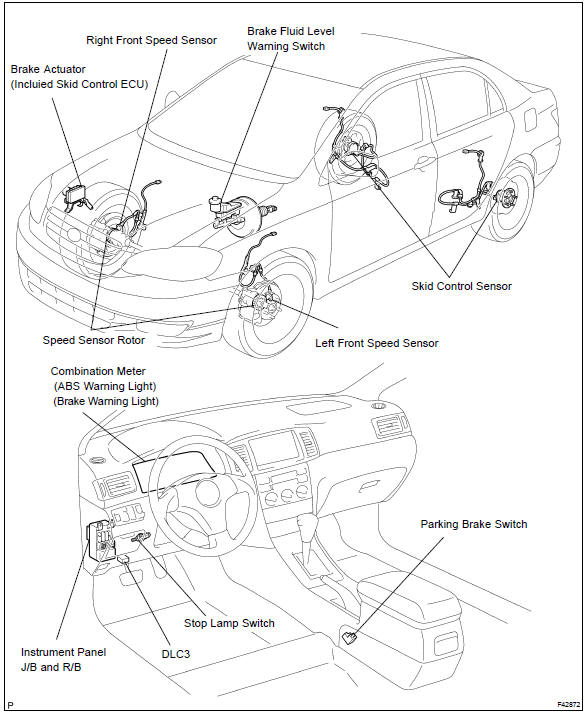


Other materials:
Other functions
■ Switching between outside air and recirculated air modes
Press .
The mode switches between outside air mode (indicator off) and recirculated air
mode (indicator on) each time is pressed.
■ Defogging the windshield
Defoggers are used to defog the windshield and front side w ...
Front suspension arm sub–assy lower no.1 Lh
Replacement
Hint: components:
1. Remove front wheel
2. Disconnect front stabilizer link assy lh (lh (a/t) position)
3. Disconnect front stabilizer link assy rh (lh (a/t) position)
Hint:
remove the rh side by the same procedures as the lh side.
4. Separate front suspension arm sub–assy lowe ...
Starting the engine
► Automatic transmission or continuously
variable transmission
1 Check that the parking brake is set.
2 Check that the shift lever is set in P.
3 Firmly depress the brake pedal.
4 Turn the engine switch to the “START” position and start the engine.
► Manual transmission
1 Che ...