
Toyota Corolla (E120) 2002–2008 Repair Manual / Diagnostics / Combination meter / How to proceed with troubleshooting
Toyota Corolla (E120): How to proceed with troubleshooting
1 Vehicle brought to workshop

2 Customer problem analysis

3 Problem symptom confirmation

4 Circuit inspection

5 Repair or replace

6 Confirmation test

7 End
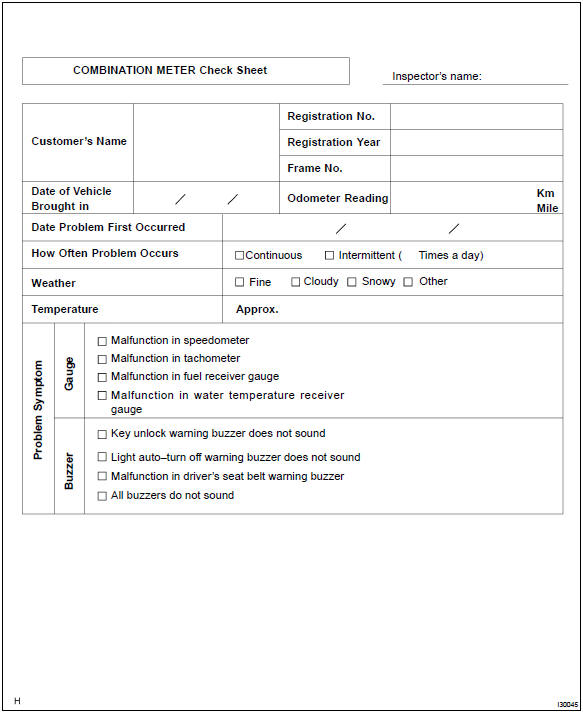
Customer problem analysis check


Other materials:
Inspection procedure
1 Check d squib circuit(airbag sensor assy center – horn button
assy)
Disconnect the negative (–) terminal cable from the battery,
and wait at least for 90 seconds.
disconnect the connector between the airbag sensor
assy center and the horn button assy.
for the black ...
Precaution
1. Do not handle refrigerant in an enclosed
area or near an open flame
2. Always wear eye protection
3. Be careful not to get liquid refrigerant in your eyes or on your skin
If liquid refrigerant gets in your eyes or on your skin.
wash the area with lots of cool water.
Cautio ...
Inspection procedure
1 Inspect dlc3 terminal voltage(tc terminal)
Turn the ignition switch to on.
measure voltage between terminals tc and cg of dlc3.
Ok:
voltage: 10 – 14 v
2 Check harness and connector(dlc3 – body ground)
Check for open and short circuit in harness and connector betw ...