
Toyota Corolla (E120) 2002–2008 Repair Manual / Diagnostics / Sfi system / Diagnostic trouble code chart
Toyota Corolla (E120): Diagnostic trouble code chart
Hint
: as for the vehicle for mexico, refer to repair manual 2003 corolla (pub. No. Rm938u).
Parameters listed in the chart may not be exactly the same as your readings due to the type of instrument or other factors.
If a malfunction code is displayed during the dtc check in the check mode, check the circuit for the codes listed in the table below. For details of each code, refer to the ’’’’ under the respective ’’dtc no.’’ In the dtc chart.
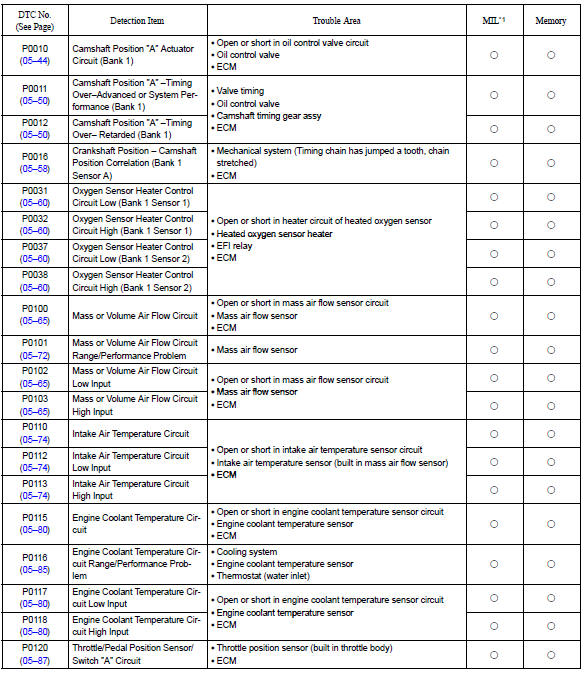
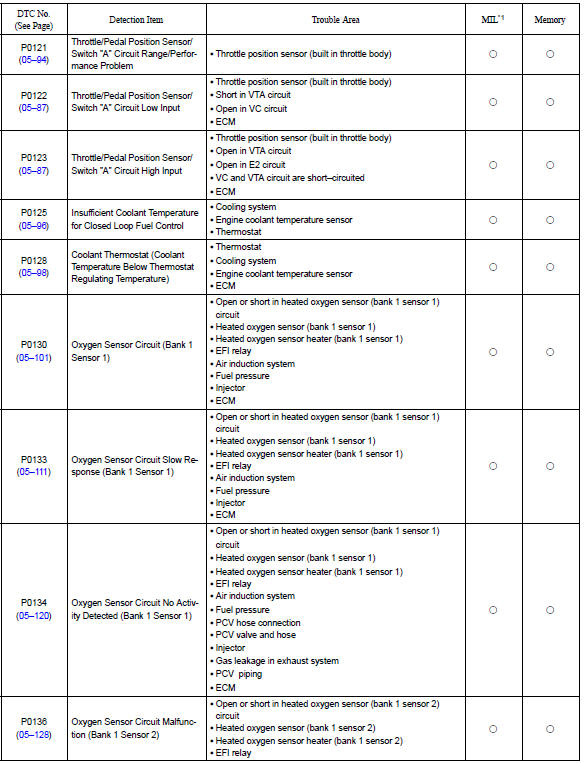
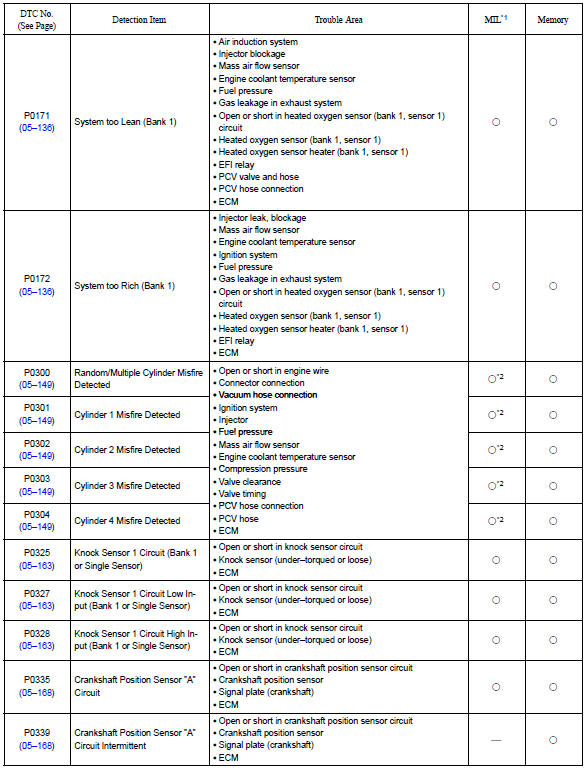
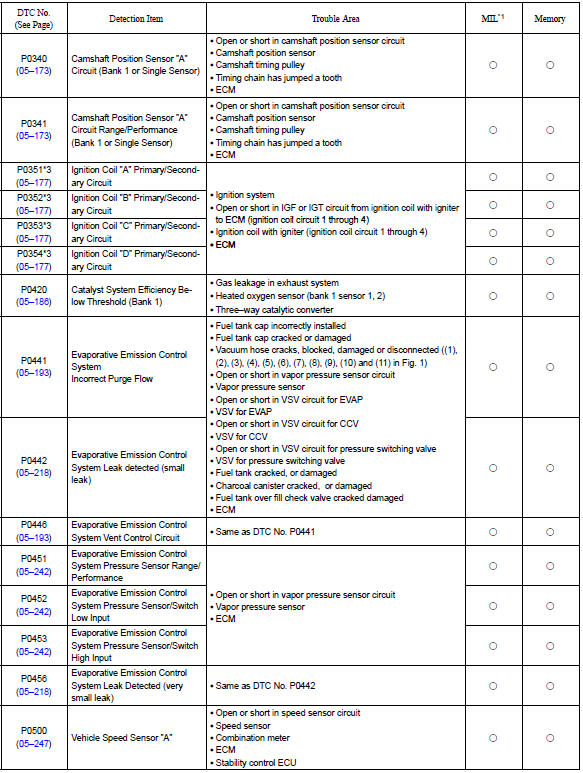
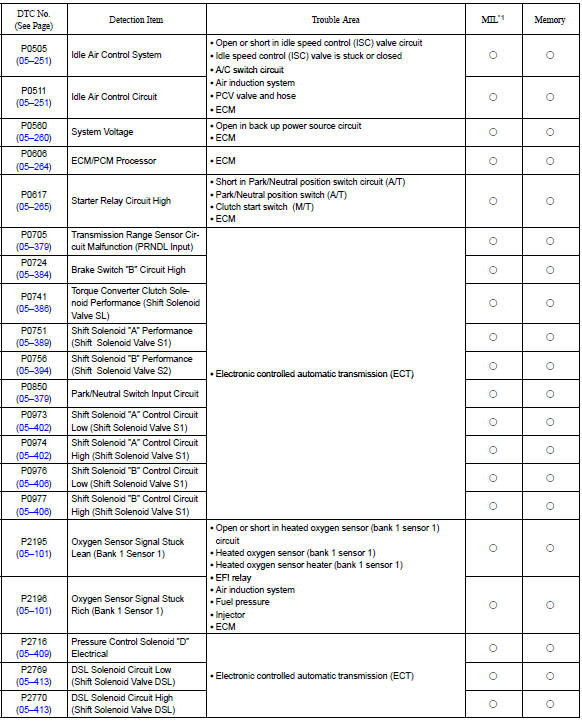
*1: ” ○” ... Mil is illuminated, ”—” ... Mil is not illuminated.
*2: Mil is illuminated or blinks *3: this dtc is indicate a malfunction related to primary circuit.


Other materials:
Setting the vehicle speed
1 Press the “ON-OFF” button to activate the cruise control.
Cruise control indicator will come on.
Press the button again to deactivate the cruise control.
2 Press the “ON-OFF” button to activate the cruise control.
Cruise control indicator will come on.
Press the button again to deac ...
Changing gear steps in the M position
To enter 7-speed sport sequential shiftmatic mode, shift the shift lever to M.
Gear steps can then be selected by operating the shift lever, allowing you to drive
in the gear step of your choosing.
1 Upshifting
2 Downshifting
The gear changes once every time the shift lever is operated.
The ...
Replacement
1. Drain brake fluid
Notice:
wash the brake fluid off immediately if it comes into contact with any painted
surface.
2. Remove air cleaner cap sub–assy
3. Remove air cleaner case sub–assy
remove the air cleaner element, then remove the 3 bolts and air
cleaner case sub–assy.
...