
Toyota Corolla (E210): Console box
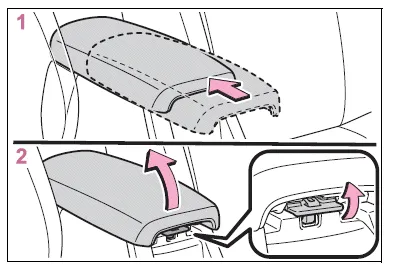
- Slide the lid to the rear most position. (vehicles with a slide function)
- Lift the lid while pulling up the knob.
■Slide function (if equipped)
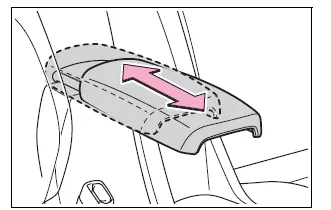
The console box lid can be slid forward or backward.
WARNING
■Caution while driving
Keep the console box closed.
Injuries may result in the event of an accident or sudden braking.
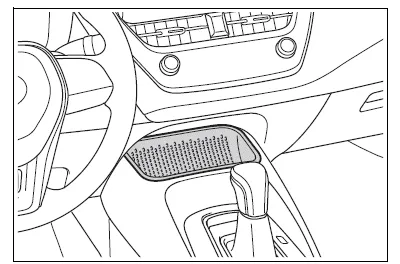
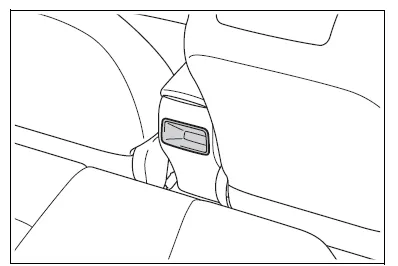
Open trays (if equipped)
Front
Rear
WARNING
■Caution while driving
Observe the following precautions when putting items in the open tray. Failure to do so may cause items to be thrown out of the tray in the event of sudden braking or steering. In these cases, the items may interfere with pedal operation or cause driver distraction, resulting in an accident.
- Do not store items in the tray that can easily shift or roll out.
- Do not stack items in the tray higher than the tray's edge.
- Do not put items in the tray that may protrude over the tray's edge.

Other materials:
Replacement
Hint: components:
1. Precaution
2. Disconnect battery negative terminal
3. Remove parking brake hole cover sub–assy
4. Remove floor shift shift lever knob sub–assy (m/t transaxle)
5. Remove shifting hole cover sub–assy (m/t transaxle)
6. Remove console panel upper
7. Remove conso ...
Deactivating or stopping the alarm
Do one of the following to deactivate or stop the alarm:
● Unlock the doors or open the trunk.
● Vehicles without a smart key system:
Turn the engine switch to the “ACC” or “ON” position, or start the engine. (The
alarm will be deactivated or stopped after a few seconds.)
& ...
Overhaul
Hint: components:
1. Discharge refrigerant from refrigeration system
sst 07110–58060 (07117–58080, 07117–58090, 07117–78050, 07117–88060,
07117–88070,
07117–88080)
2. Disconnect cooler refrigerant liquid pipe a
Remove the bolt and disconnect the cooler refrigerant liqui ...