
Toyota Corolla (E210): Cup holders
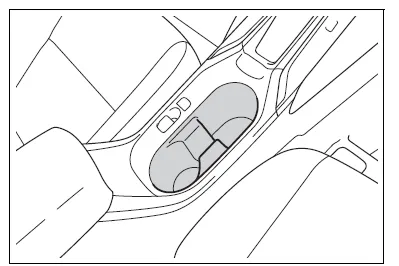
Front
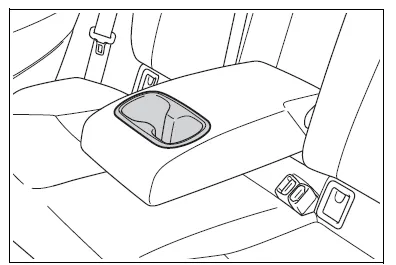
Rear (if equipped)
Pull the armrest down.
WARNING
■Items unsuitable for the cup holder
Do not place anything other than cups or beverage cans in the cup holders.
Other items may be thrown out of the holders in the event of an accident or sudden braking and cause injury. If possible, cover hot drinks to prevent burns.
Bottle holders
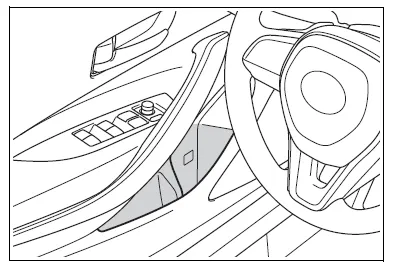
Front
Rear
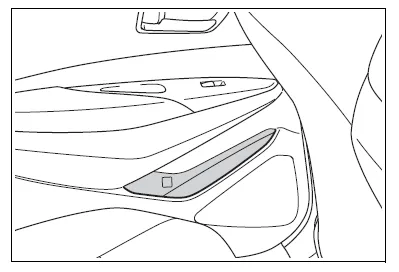
■Bottle holders
- When storing a bottle, close the cap.
- The bottle may not be stored depending on its size or shape.
WARNING
■Items unsuitable for the bottle holders
Do not place anything other than a bottle in the bottle holders.
Other items may be thrown out of the holders in the event of an accident or sudden braking and cause injury.

Other materials:
Inspection procedure
Hint:
if different dtcs related to different systems that have terminal e2
as the ground terminal are output
simultaneously, terminal e2 may be open.
Read freeze frame data using the hand-held tester or the obd ii scan
tool. Freeze frame data records
the engine conditions when a malf ...
Toyota Safety Sense 3.0
The Toyota Safety Sense 3.0
consists of the driving
assist systems and contributes
to a safe and comfortable
driving experience:
WARNING
■Toyota Safety Sense 3.0
The Toyota Safety Sense 3.0
operates under the assumption
that the driver will drive safely,
and is designed to help reduce
the impact t ...
Door control transmitter
Registration
1. Registration of recognition code
Hint:
the add mode is used to retain the already registered codes while
registering a new recognition code.
This mode is used when adding a transmitter. If the number of the registered
codes exceeds 4, the
previously registered code wi ...