
Toyota Corolla (E120): Name plate
Replacement
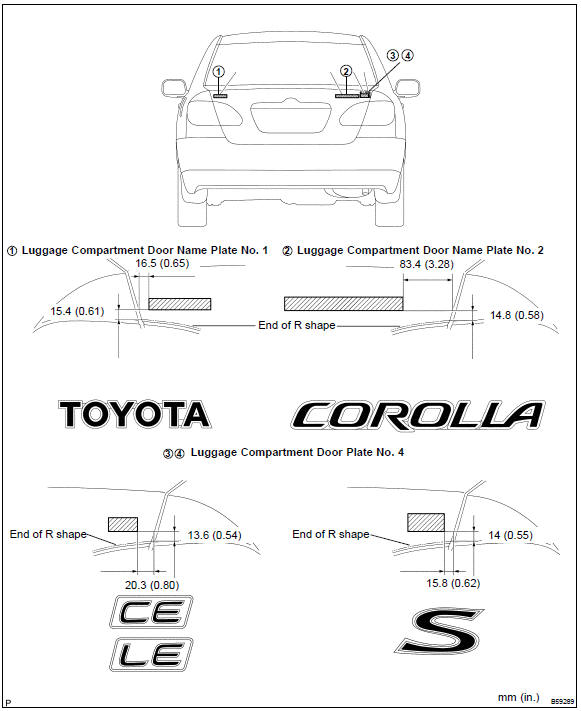


Other materials:
Continuously variable transmission
(vehicles with paddle shift
switches)
Select the shift position
depending on your purpose
and situation.
Shift position purpose
and functions
P - Parking the vehicle/
starting the engine
R - Reversing
N - Neutral
(Condition in which the
power is not transmitted)
D - Normal driving*
M - 10-speed sport sequential
shiftmatic mode driving
* ...
Front no.2 Speaker assy
Replacement
Hint: components:
1. Remove front armrest assy lh
2. Remove power window regulator master switch assy (w/ power window)
3. Remove front armrest base panel upper lh (w/o power window)
4. Remove front door window regulator handle assy (w/o power window)
5. Remove front door lower ...
Fuel pump shut off system
To minimize the risk of fuel leakage when the engine stalls or when an airbag
inflates upon collision, the fuel pump shut off system stops the supply of fuel
to the engine.
Follow the procedure below to restart the engine after the system is activated.
► Vehicles without a smart key syst ...