
Toyota Corolla (E170) 2014–2019 Owners Manual / For safety and security / Theft deterrent system / Engine immobilizer system
Toyota Corolla (E170): Engine immobilizer system
The vehicle’s keys have built-in transponder chips that prevent the engine from starting if a key has not been previously registered in the vehicle’s on-board computer.
Never leave the keys inside the vehicle when you leave the vehicle.
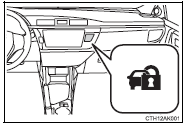
Vehicles without a smart key system: The indicator light flashes after the key has been removed from the engine switch to indicate that the system is operating.
The indicator light stops flashing after the registered key has been inserted into the engine switch to indicate that the system has been canceled.
Vehicles with a smart key system: The indicator light flashes after the engine switch has been turned off to indicate that the system is operating.
The indicator light stops flashing after the engine switch has been turned to ACCESSORY or IGNITION ON mode to indicate that the system has been canceled.
■System maintenance
The vehicle has a maintenance-free type engine immobilizer system.
■Conditions that may cause the system to malfunction
●If the grip portion of the key is in contact with a metallic object ●If the key is in close proximity to or touching a key to the security system (key with a built-in transponder chip) of another vehicle
■Certifications for the engine immobilizer system (vehicles without a smart
key system)
► For vehicles sold in the U.S.A.
FCC ID: WRKRI-44BTY
This device complies with part 15 of the FCC Rules. Operation is subject to the following two conditions: (1) This device may not cause harmful interference, and (2) this device must accept any interference received, including interference that may cause undesired operation.
Changes or modifications not expressly approved by the party responsible for compliance could void the user's authority to operate the equipment.
► For vehicles sold in Canada This device complies with Industry Canada licence-exempt RSS standard(s).
Operation is subject to the following two conditions: (1) this device may not cause interference, and (2) this device must accept any interference, including interference that may cause undesired operation of the device.
■Certifications for the engine immobilizer system (vehicles with a smart key
system)
► For vehicles sold in the U.S.A.
FCC ID: NI4TMIMB-3
This device complies with part 15 of the FCC Rules. Operation is subject to the following two conditions: (1) This device may not cause harmful interference, and (2) this device must accept any interference received, including interference that may cause undesired operation.
Changes or modifications not expressly approved by the party responsible for compliance could void the user's authority to operate the equipment.
► For vehicles sold in Canada Operation is subject to the following two conditions: (1) this device may not cause interference, and (2) this device must accept any interference, including interference that may cause undesired operation of the device.
NOTICE
■To ensure the system operates correctly
Do not modify or remove the system. If modified or removed, the proper operation of the system cannot be guaranteed.


Other materials:
Inspection procedure
1 Check d squib circuit(airbag sensor assy center – horn button
assy)
Disconnect the negative (–) terminal cable from the battery,
and wait at least for 90 seconds.
disconnect the connectors between the airbag sensor
assy center and the horn button assy.
connect the ...
Inspection
1. Spark plug
Notice:
never use a wire brush for cleaning.
Never attempt to adjust the electrode gap on used
spark plug.
Spark plug should be replaced every 192,000 km
(120,000 miles).
Clean the spark plugs.
Air pressure: below 588 kpa (6.0 Kg/cm2, 85 psi)
duration: 20 sec ...
Back up lamp assy lh
Replacement
1. Remove back up lamp assy lh
Remove the service hole cover.
remove the 2 nuts and disconnect the connector.
Using a mouldingremover, remove the 2 clips and back
up light assy lh.
2. Install back up lamp assy lh
Set the 2 clips on the back up ligh ...