
Toyota Corolla (E120): Components
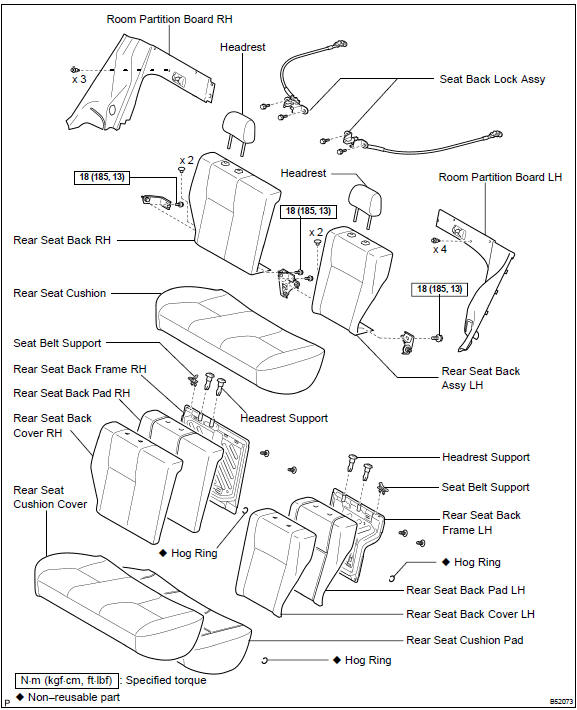


Other materials:
Transferring call histories
Select “Transfer Histories” using
and press
(YES).
■Phone number
Up to 1000 names can be stored.
■Call history
Up to 10 numbers can be stored in each of the outgoing, incoming and missed
call history memories.
■Limitation of number of digits
A phone number that exce ...
Circuit description
The throttle position sensor is mounted in the throttle body and
detects the throttle valve opening angle.
When the throttle valve is fully closed, a voltage of approximately
0.3 To 1.0 V is applied to terminal vta of the ecm. The voltage
applied to terminal vta of the ecm increases in pro ...
Problem symptoms table
Proceed to the reference page shown in the table below for each malfunction
symptom and troubleshoot
each circuit.
Hint:
troubleshooting of the tvip system is based on the premise that the door lock
control system and wireless
door lock control system is operating normally. Accordingly, be ...