
Toyota Corolla (E120): Components
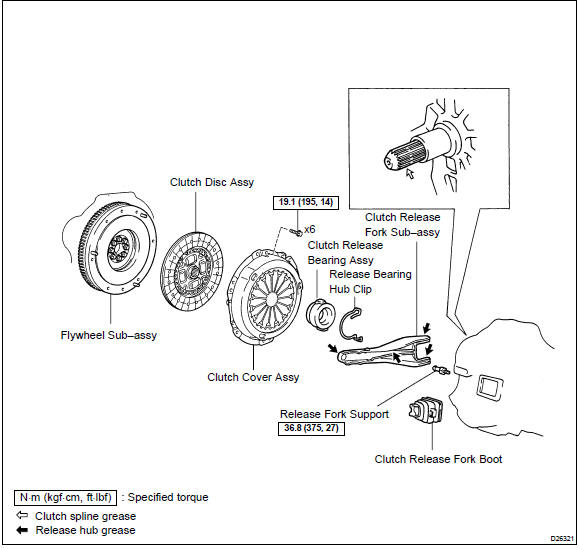
Share this page:


Other materials:
Automatic transmission / trans
Preparation
Sst
Recomended tools
Equipment
Lubricant
Ssm (special service materials)
...
Taking out the spare tire
1 Remove the luggage floor cover.
2 Remove the tool tray.
3 Loosen the center fastener that secures the spare tire.
CAUTION
■When storing the spare tire
Be careful not to catch fingers or other body parts between the spare tire and
the body of the vehicle. ...
Replacement
Hint:
installation is in the reverse order of the removal. But the installation is
indicated only when it has a point.
1. Remove spare wheel cover assy
2. Remove rear floor finish plate
Remove the 3 clips.
using a moulding remover, remove the rear floor finish
plate.
3. Rem ...