
Toyota Corolla (E120) 2002–2008 Repair Manual / Exhaust / Components
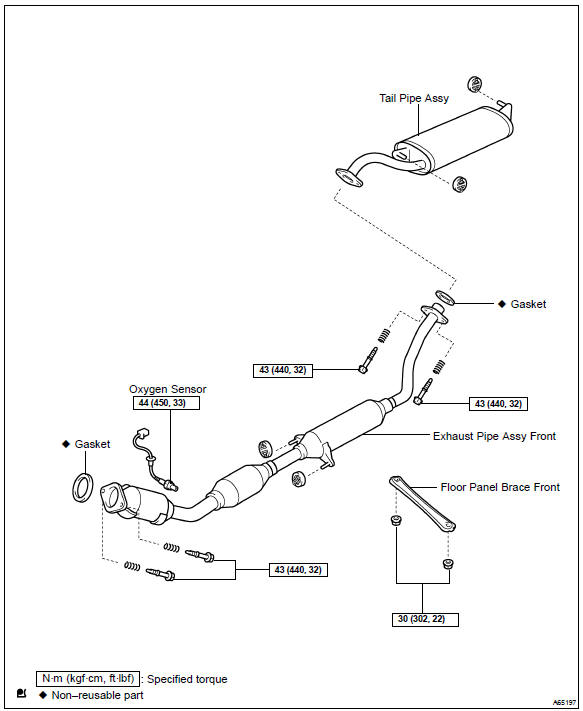
Toyota Corolla (E120): Components
Share this page:


Other materials:
Abbreviations used in this manual
...
Confirmation driving pattern
Connect the hand–held tester or the obd ii scan tool to the dlc3.
record dtcs and the freeze frame data.
set the check mode using the hand–held tester .
read the value on the misfire counter for each cylinder when
idling. If the value is displayed on the
misfire c ...
How to proceed with troubleshooting
1 Vehicle brought to workshop
2 Customer problem analysis
3 Check and clear dtcs and freeze frame data
4 Problem symptom confirmation
Symptom does not occur: go to
step 5
Symptom occurs: go to step 6
5 Symptom simulation
6 Dtc check
There is no
output: go to step 7
There is outp ...