
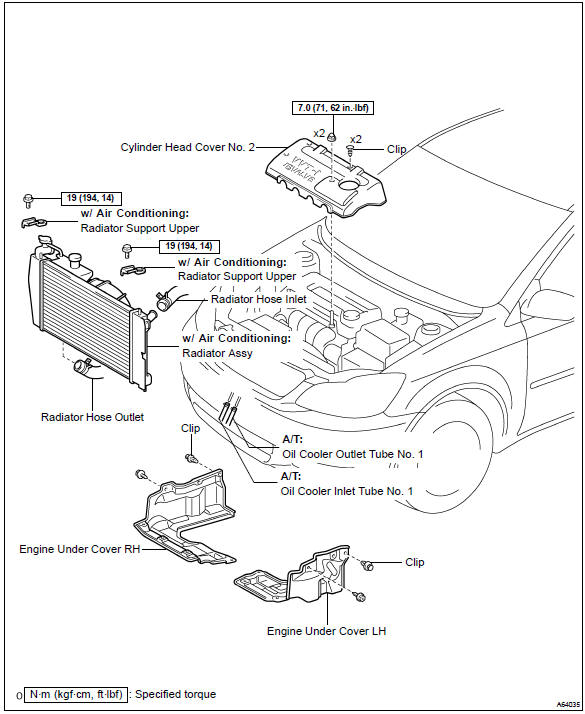
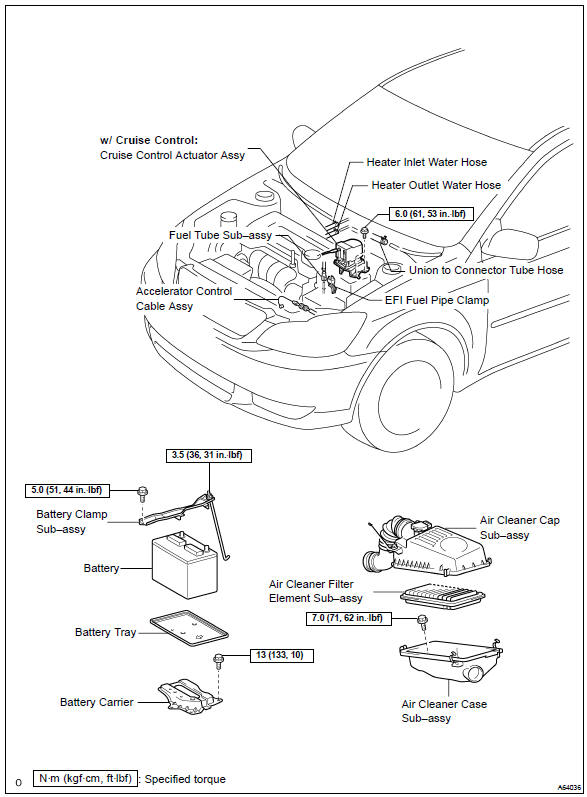
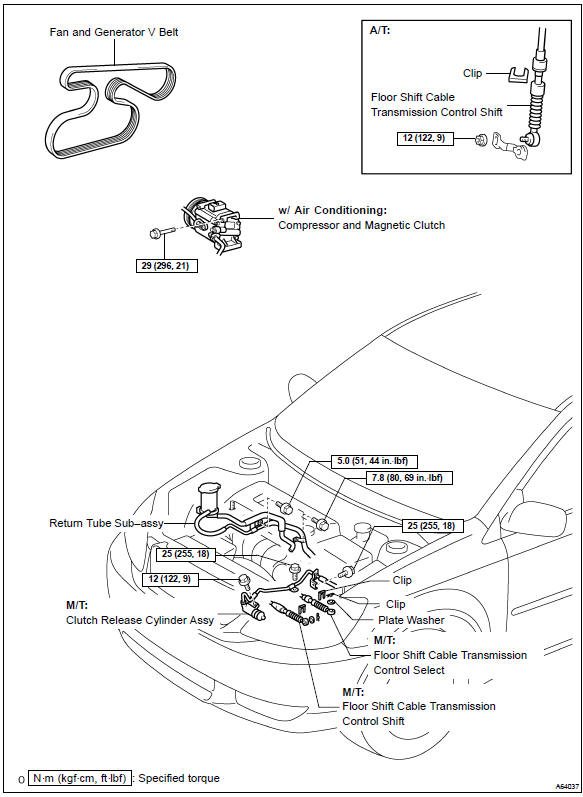
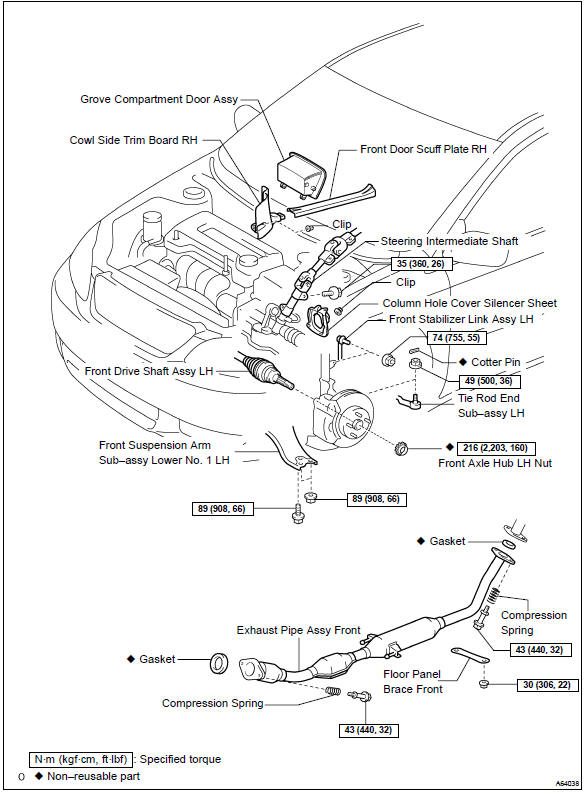
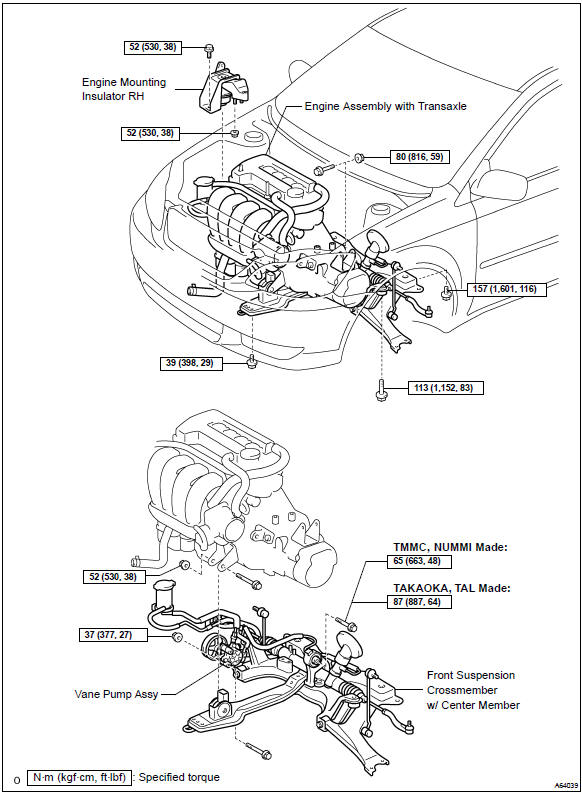
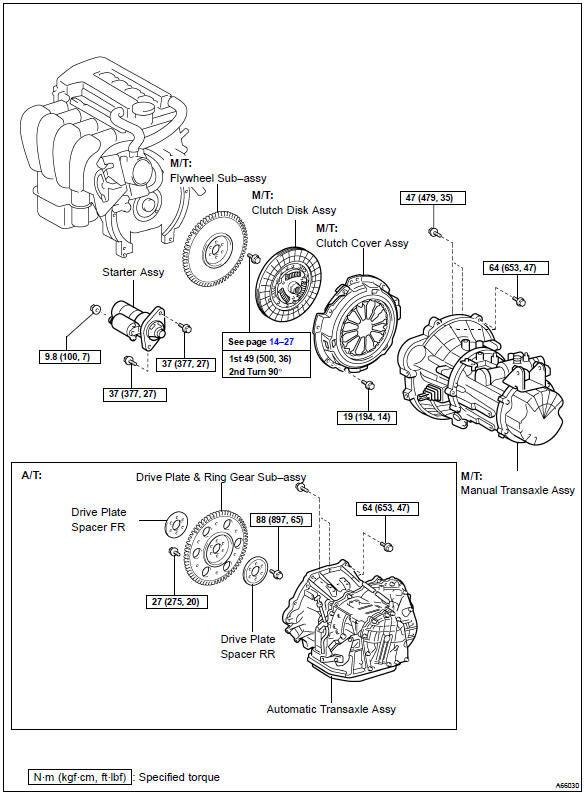
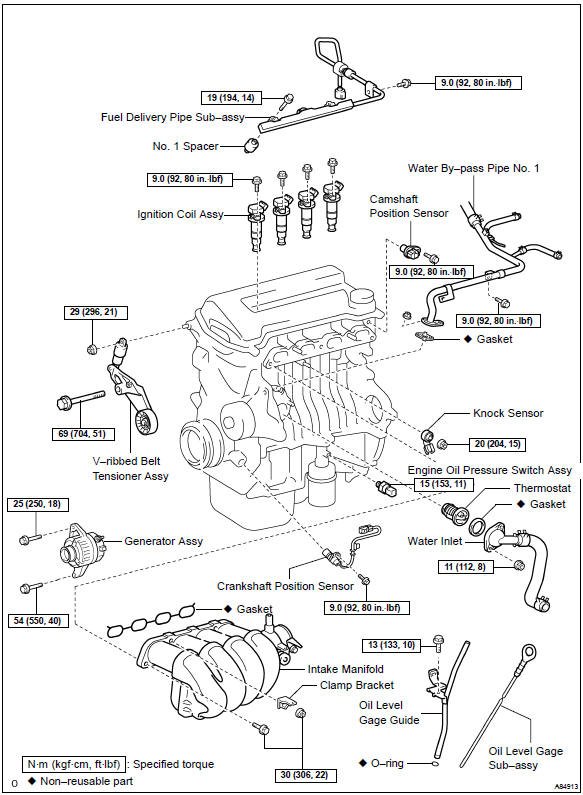
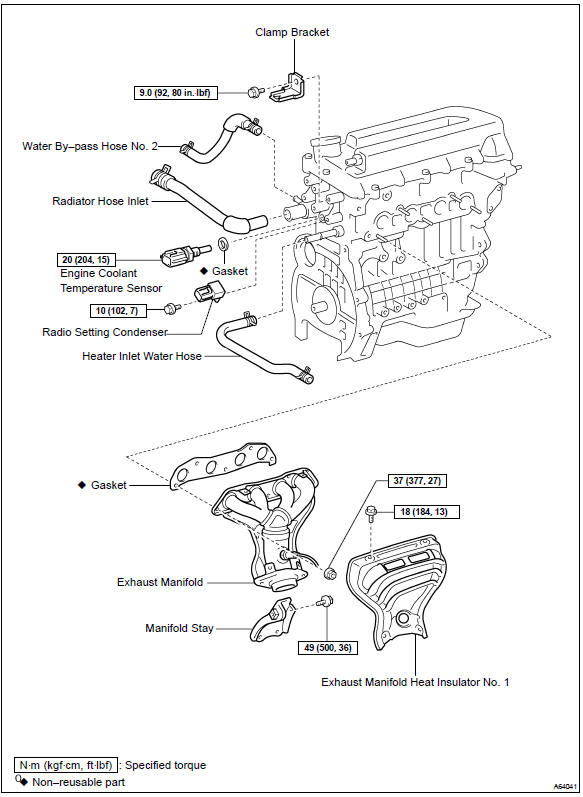
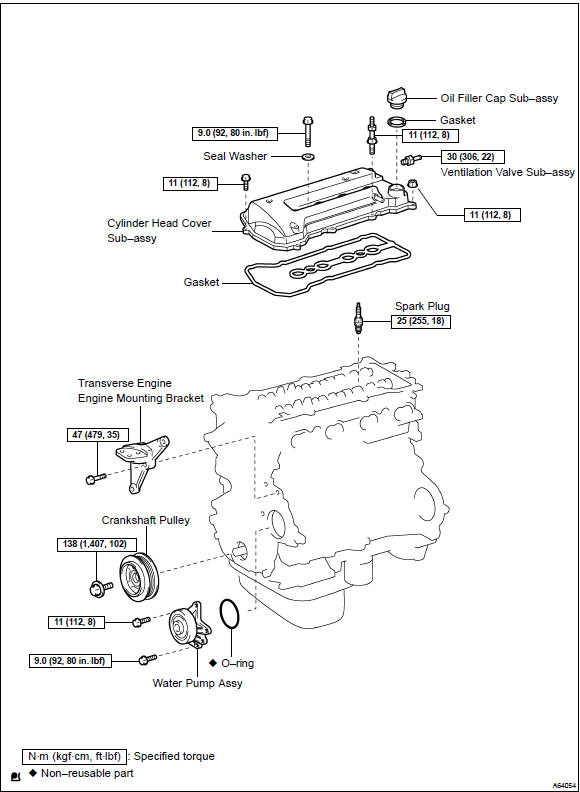
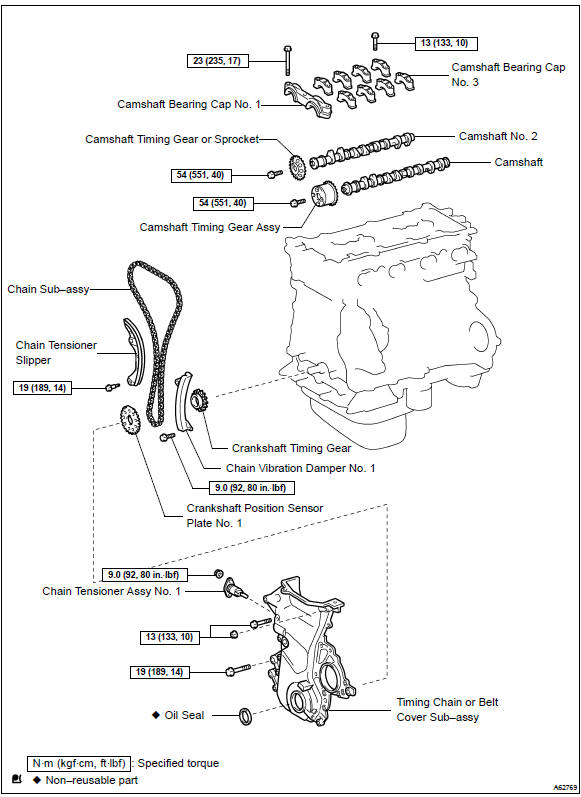
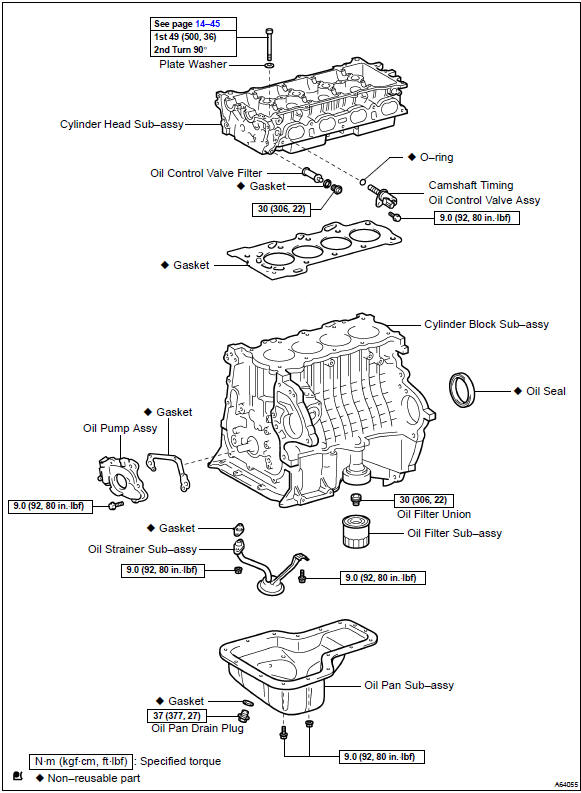
Toyota Corolla (E120): Components


Other materials:
Calling the message sender
Calls can be made to an e-mail/SMS/MMS message sender's phone number.
1 Display the “Message Inbox” screen.
2 Select the desired message.
3 Select .
4 Check that the “Call” screen is displayed.
■ Calling from a number within a message
Calls can be made to a number identified ...
Cruise control
The vehicle can be driven at
a set speed even if the
accelerator pedal is not
depressed.
Use the cruise control only
on highways and expressways.
WARNING
■For safe use
Driving safely is solely the
responsibility of the driver.
Therefore, do not overly rely on
this system. The driver is solel ...
Problem symptoms table
When the malfunction code is not confirmed in the diagnostic trouble code
check and the problem still can
not be confirmed in the basic inspection, proceed to this problem symptoms
tables and troubleshoot according
to the numbered order given below.
*: A/t only ...