
Toyota Corolla (E120) 2002–2008 Repair Manual / Preparation / Audio & visual system
Toyota Corolla (E120): Audio & visual system
Preparation
Sst
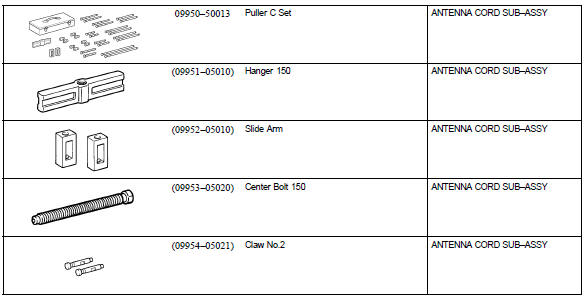
Recomended tools
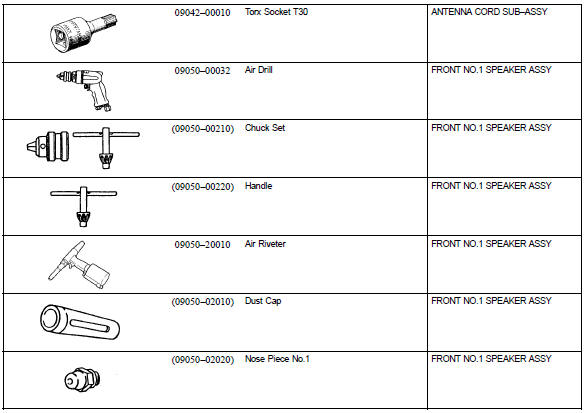
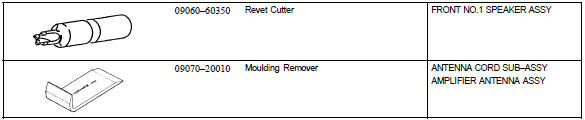
Equipment



Other materials:
Speedometer sensor (atm)
Replacement
1. Remove air cleaner case
2. Remove air cleaner hose no.1
3. Remove speedometer sensor
disconnect the connector.
remove the bolt and speedometer sensor assembly.
remove the clip and driven gear from the speedometer
sensor.
4. Install speedometer sensor
...
Luggage door hinge torsion bar rh
Replacement
Hint:
installation is in the reverse order of the removal. But the
installation is indicated only when it has a
point.
In the lh side, work in the same procedure as in the rh side.
Since the removal of the torsion bar will cause no tension, operation
of opening and closi ...
Inspection procedure
1 Input signal check
See the input signal check on page 05–745.
check the indicator light when the clutch pedal is depressed.
Ok:
the indicator light goes off when the clutch pedal is
depressed.
2 Inspect terminal voltage(d)
Turn the ignition switch to on.
&n ...