
Toyota Corolla (E120) 2002–2008 Repair Manual / Service specifications / Engine mechanical
Toyota Corolla (E120): Engine mechanical
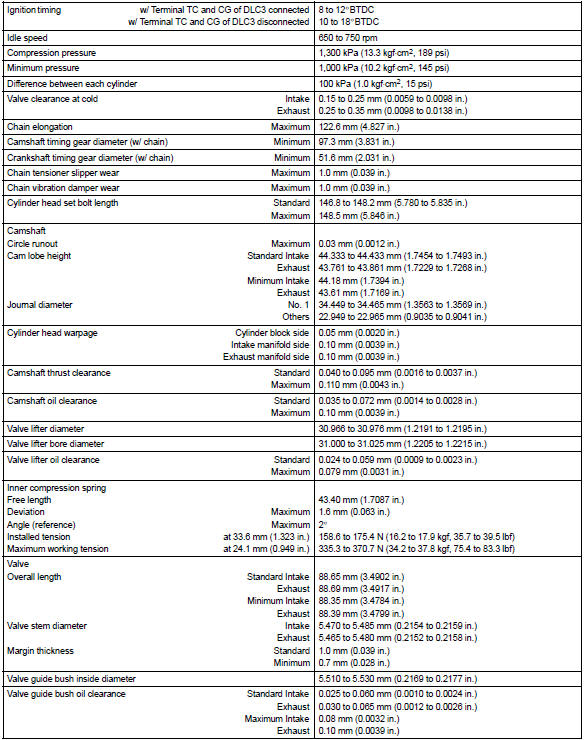
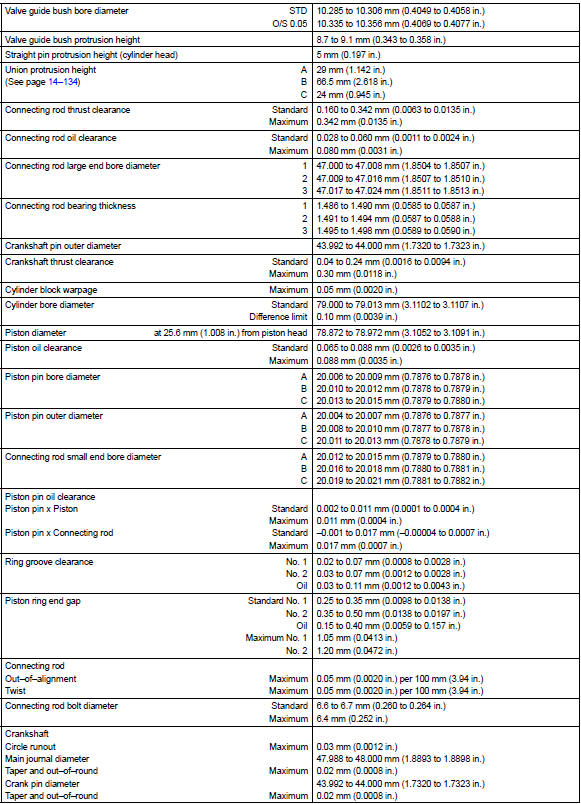
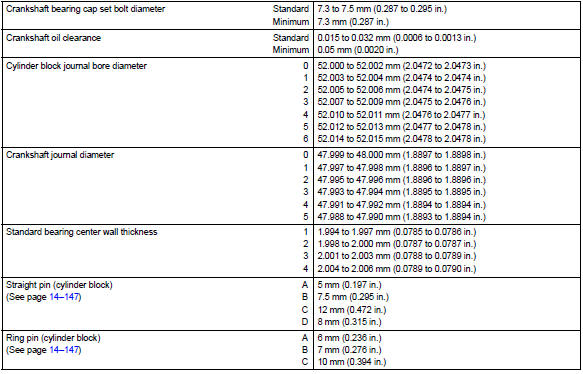
Service data
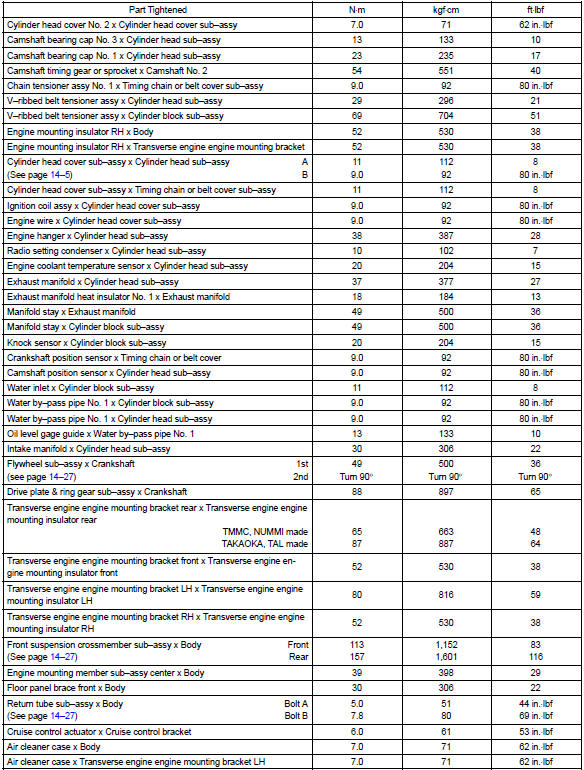
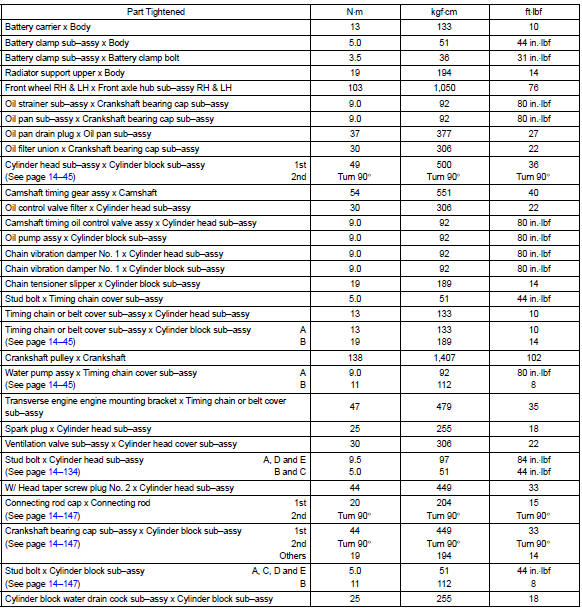
Torque specification


Other materials:
Inspection
1. Inspect sliding roof limit switch
Inspect the sliding roof limit switch continuity.
Standard:
If the continuity is not as specified, replace the switch.
2. Inspect sliding roof drive gear sub–assy
Connect the positive (+) lead from the battery to terminal
2 and the ne ...
Replacement
1. Remove console box sub–assy rear
2. Remove parking brake lever sub–assy
Disconnect the parking brake switch connector from the
parking brake switch.
remove the lock nut and adjusting nut from the parking
brake cable assy no.1.
Remove the 2 bolts.
Usin ...
Removal & installation and disassembly & re
1. Remove bench type rear seat cushion assy (, 72–8)
2. Remove rear floor service hole cover
3. Work for preventing gasoline from spilling out
start the engine.
after the engine has stopped on the its own, turn the ignition
switch to lock.
4. Disconnect fuel tank main tu ...