
Toyota Corolla (E120): Components


Other materials:
Replacement
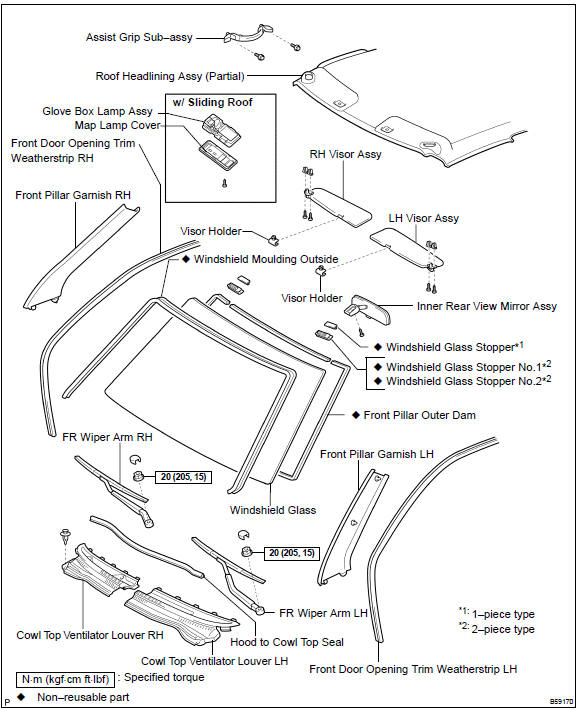
Hint: components:
1. Table of bolt, screw and nut
Notice:
be sure to tape the tip of the screwdriver when using it to disengage the
meshing of the clips and
claws.
Hint:
indicate the bolts, screws and nuts, which are necessary for installation and
removal of the instrument panel,
in th ...
Canceling and resuming the constant speed control
1 Pulling the lever toward you cancels the constant speed control.
The speed setting is also canceled when the brakes are applied or the clutch
pedal (manual transmission) is depressed.
2 Pushing the lever up resumes the constant speed control.
Resuming is available when the vehicle speed is mo ...
Circuit description
The o/d main switch (transmission control switch) is a momentary type switch.
When pressing the o/d main
switch, the o/d off indicator light lights up and the ecm prohibits shifting
into o/d, and when pressing it
once again, the o/d off indicator light goes off and the ecm allows shifting
in ...