
Toyota Corolla (E120): Terminals of ecu
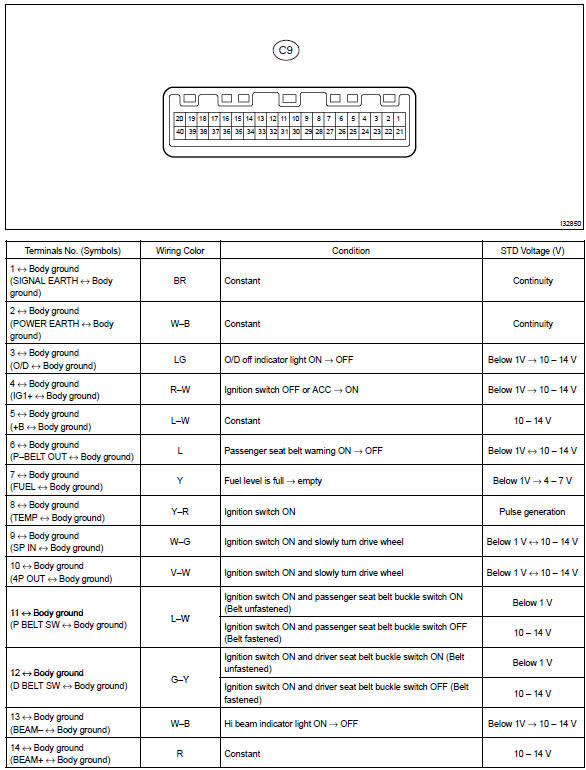
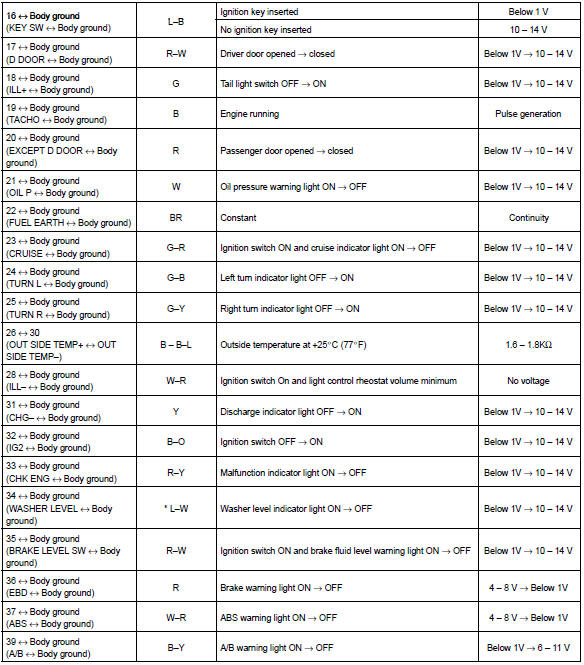
*: Canada
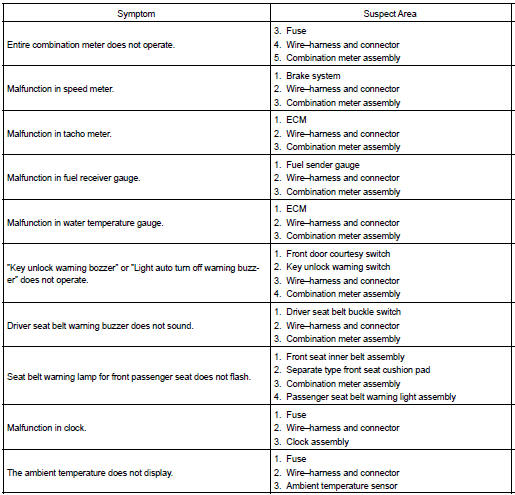
Problem symptoms table
Share this page:


Other materials:
Audio & visual system
Preparation
Sst
Recomended tools
Equipment
...
Rear suspension
Service data
Torque specification
Tire&wheel
Service data
Drive shaft / propeller shaft / axle
Service data
Torque specification
...
On–vehicle inspection
1. Inspection throttle body idle speed control valve assy
Notice:
it is impossible to check the resister value and the operation
of isc valve by itself, because the isc valve
has an ic circuit inside it, which transforms the duty
signal from the ecm to the derive signal.
After check ...