
Toyota Corolla (E120) 2002–2008 Repair Manual / Diagnostics / Sfi system / Diagnostic trouble code chart
Toyota Corolla (E120): Diagnostic trouble code chart
Hint
: as for the vehicle for mexico, refer to repair manual 2003 corolla (pub. No. Rm938u).
Parameters listed in the chart may not be exactly the same as your readings due to the type of instrument or other factors.
If a malfunction code is displayed during the dtc check in the check mode, check the circuit for the codes listed in the table below. For details of each code, refer to the ’’’’ under the respective ’’dtc no.’’ In the dtc chart.
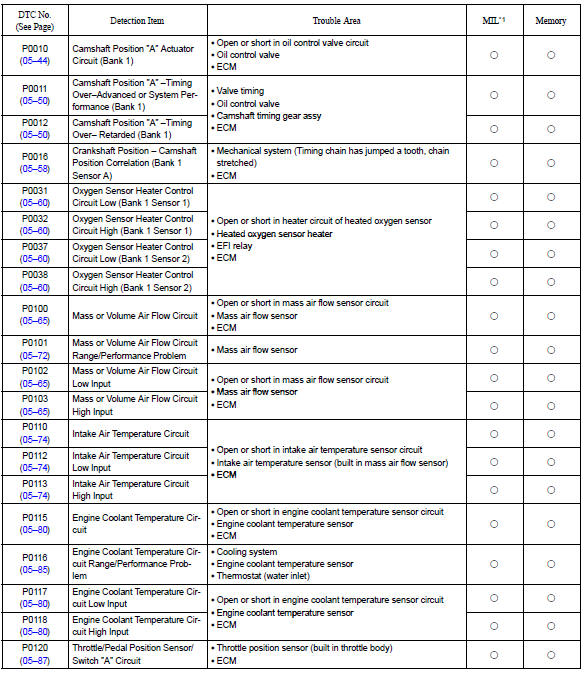
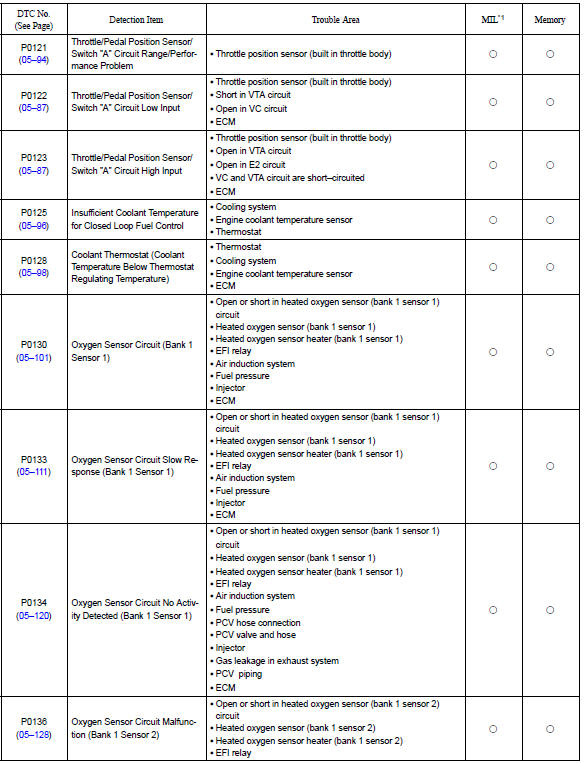
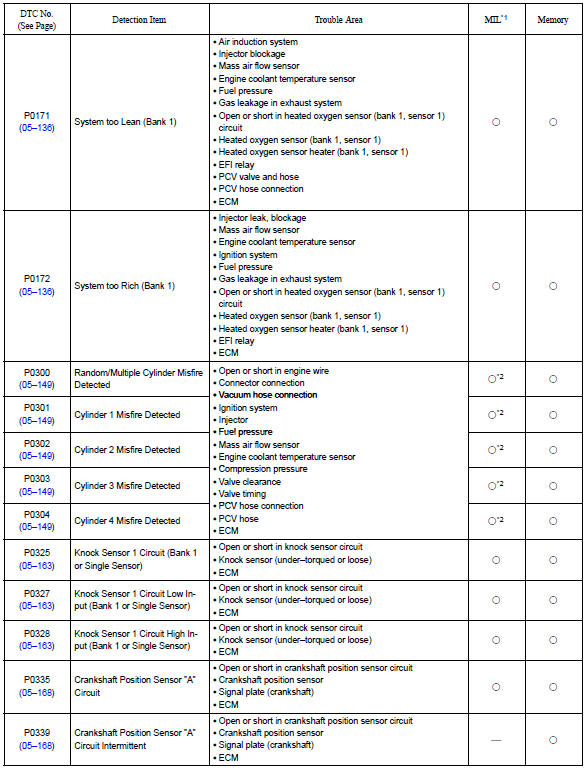
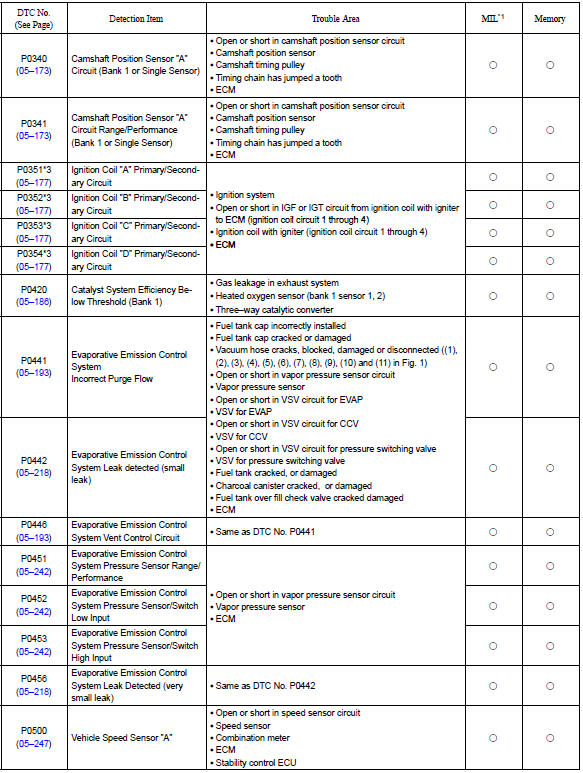
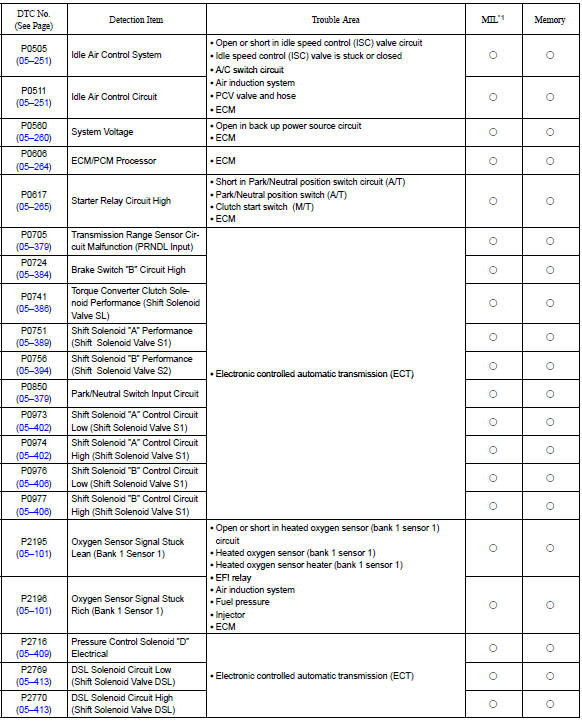
*1: ” ○” ... Mil is illuminated, ”—” ... Mil is not illuminated.
*2: Mil is illuminated or blinks *3: this dtc is indicate a malfunction related to primary circuit.


Other materials:
Brake fluid
■ Checking fluid level
The brake fluid level should be between the “MAX” and “MIN” lines on the tank.
■ Adding fluid
Make sure to check the fluid type and prepare the necessary item.
1 Slide and lift up the rubber strip to partially remove it as shown.
2 Disconnect the ...
Description
1. Radio wave band
The radio wave bands used in radio broadcasting are as follows:
Lf: low frequency
mf: medium frequency
hf: high frequency
vhf: very high frequency
2. Service area
There are great differences in the size of the service area
for am and fm broadcasting. Sometimes ...
Circuit description
The throttle pressure that is applied to the primary regulator
valve (which modulates the line pressure) causes the solenoid
valve slt, under electronic control, to precisely and minutely
modulate and generate the line pressure according the extent
of the accelerator pedal depressed or the o ...