
Toyota Corolla (E120) 2002–2008 Repair Manual / Windshield/windowglass/mirror / Instrument panel/meter
Toyota Corolla (E120): Instrument panel/meter
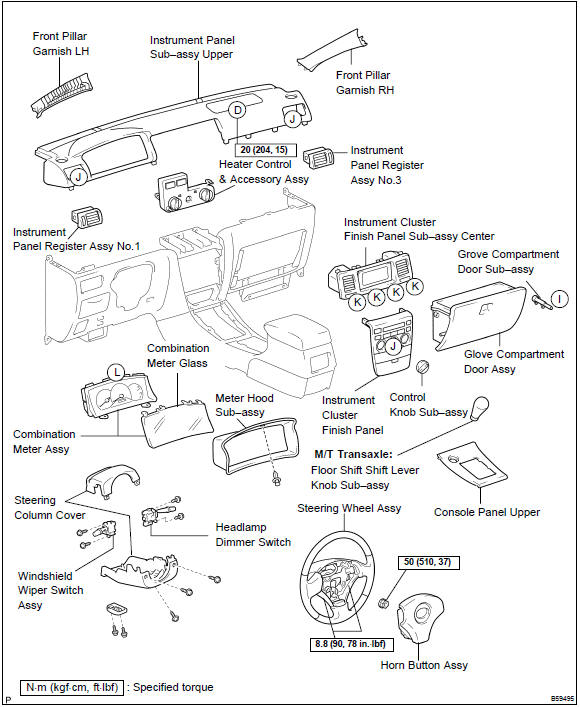
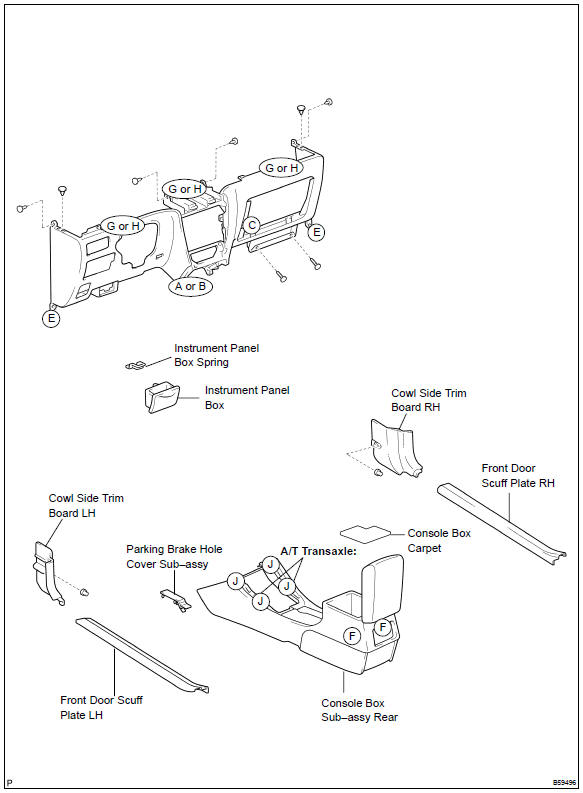
Components


Other materials:
About this vehicle
1. Structural outline
2. Notice about vehicle condition when jacking up
vehicle
(a) notice for using jack and safety stand
(B) notice for using swing arm type lift
(C) notice for using plate type lift
3. Damage diagnosis
4. Components
(a) front bumper
(B) side mu ...
Connecting a Bluetooth® audio player
► Registering an additional device
Select “Select Device” on the Bluetooth® audio control screen.
►Selecting a registered device
Select “Select Device” on the Bluetooth® audio control screen.
■Reconnecting a Bluetooth® phone
If the system cannot connect due to poor ...
Inspection procedure
1 Check p/t squib(lh) circuit(airbag sensor assy center – front seat
outer belt assy lh)
Disconnect the negative (–) terminal cable from the battery,
and wait at least for 90 seconds.
disconnect the connectors between the airbag sensor
assy center and the seat belt pretensio ...