
Toyota Corolla (E120) 2002–2008 Repair Manual / Diagnostics / Audio system / Radio broadcast cannot be received (bad reception)
Toyota Corolla (E120): Radio broadcast cannot be received (bad reception)
Inspection procedure
1 Check if radio auto–search functions properly
- Check if the radio auto–search functions properly.
- Perform the auto–search of the radio and check that it functions
normally.
Standard: the radio auto–search functions properly.


2 Check optional component
- Check optional component (sun shade film, telephone antenna etc.).
- Check whether or not any optional component is installed, such as
the sunshade film and the
telephone antenna, is installed.
Standard: optional component is installed.


3 Check antenna for noise production
- Noise check with antenna
- with the ignition switch in acc, turn on the radio and choose the am mode.
- Place a tip of a screwdriver or the antenna of the antenna
assembly w/ holder and check that
the noise heard from the speaker.
Standard: noise occurs.


4 Inspect radio receiver assy(antenna)
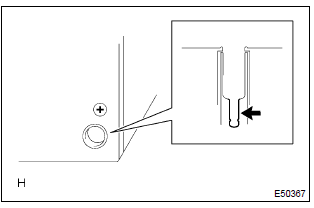
- Preparation for check
- remove the antenna plug of the radio receiver assembly.
- noise check
- with the radio receiver assembly connector connected, turn the ignition switch to acc.
- Turn on the radio and choose the am mode.
- Place a flat–head screwdriver or a metal such as a
thin wire on the antenna jack of the radio receiver
assembly and check that the noise heard from the
speaker.
Standard: noise occurs.


Replace amplifier antenna assy


Other materials:
Circuit description
This circuit turns on the magnetic clutch inside the actuator during cruise
control operation according to the
signal from the ecu. If a malfunction occurs in the actuator or speed sensor,
etc. During cruise control operation,
the rotor shaft between the motor and control plate is released.
...
Inspection
1. Cooler thermistor no.1
Check resistance between terminals 1 and 2 of cooler
thermistor no. 1 At each temperature, as shown in the
chart.
Resistance:
If resistance value is not as specified, replace the sensor.
2. Cooler and accessory assy
Inspect blower switch contin ...
Auto connection
To turn auto connection mode on, set “Bluetooth* Power” to on.
When you register a phone, auto connection will be activated. Always set it to
this mode and leave the Bluetooth® phone in a place where a connection can be established.
When the engine switch is turned to ACCESSORY or ON <IG ...