
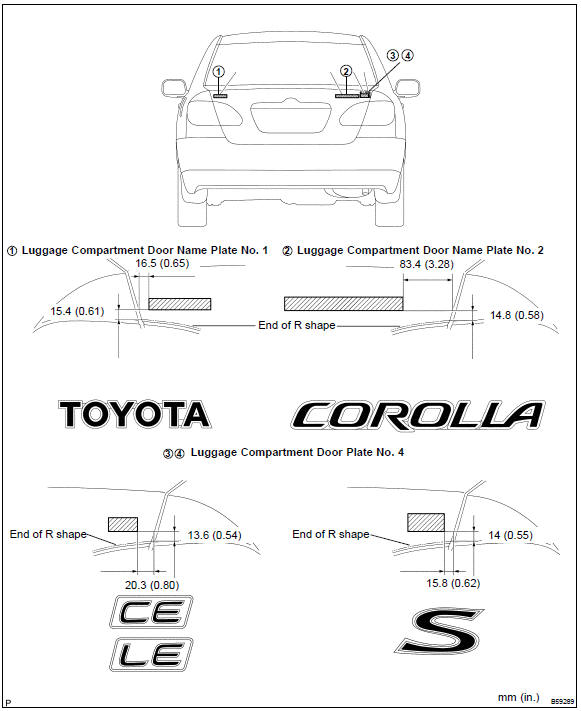
Toyota Corolla (E120): Name plate
Replacement


Other materials:
Cd sound skips
Inspection procedure
1 Disc cleaning
Disk cleaning
) if the disk gets dirty, clean the disk by wiping the surface
from the center to outside in the radial directions
with a soft cloth.
Notice:
do not use a conventional record cleaner or anti–static preservative.
Standard: ...
Seat belt warning lamp for front passenger’s seat
does not flash
Wiring diagram
Inspection procedure
1 Inspect combination meter assy
Ground terminal c9–11 on the combination meter side.
check that the warning lightlights up.
Ok: warning light lights up.
2 Inspect passenger seat belt warning lamp assy
Ground terminal c9– ...
Selecting, fast-forwarding and reversing tracks/files/songs
■ Selecting a track/file/song
Press the “∧” or “∨” button on “SEEK/TRACK” or turn the “TUNE/ SCROLL” knob
to select the desired track/file/song number.
To fast-forward or reverse, press and hold the “∧” or “∨” button on “SEEK/TRACK”.
...