
Toyota Corolla (E120): Components
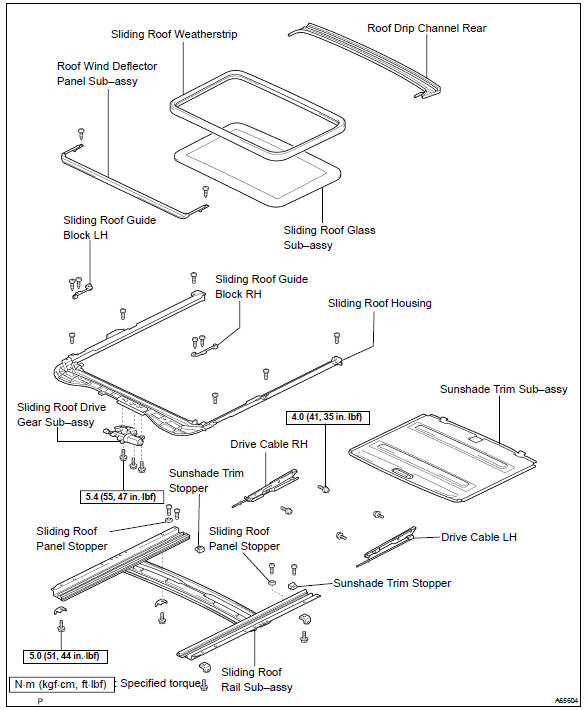


Other materials:
Catalyst monitor (o2s type)
Preconditions
The monitor will not run unless:
mil is off.
Engine coolant temperature (ect) is 176°f (80 °C) or greater.
Intake air temperature (iat) is 14°f (–10 °C) or greater.*
Notice:
* 2002 and later my vehicles:
the readiness test can be completed in cold ambient c ...
Basic repair hint
(A) hints on operations
1
Looks
Always wear a clean uniform.
Hat and safety shoes must be worn.
2
Vehicle protection
Set a grill cover, fender cover, seat cover and floor mat before
starting the operation.
3
Safe ...
Front seats
Adjustment procedure
Manual seat
Seat position adjustment
lever
Seatback angle adjustment
lever
Vertical height adjustment
lever (driver's side only)
Power seat (driver's side
only)
WARNING
■When adjusting the seat position
Take care when adjusting the
seat position to ensure that
ot ...