
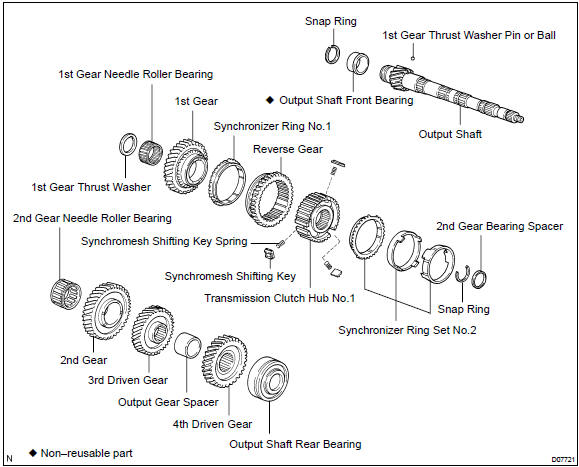
Toyota Corolla (E120): Components


Other materials:
Child restraint systems
Before installing a child
restraint system in the vehicle,
there are precautions
that need to be observed,
different types of child
restraint systems, as well as
installation methods, etc.,
written in this manual.
Use a child restraint system
when riding with a small child
that cannot properly use a ...
Power point socket assy rr
Replacement
Hint: components:
1. Remove parking brake hole cover sub–assy
2. Remove floor shift shift lever knob sub–assy (m/t transaxle)
3. Remove console panel upper
4. Remove console box carpet
5. Remove console box sub–assy rear (m/t transaxle)
6. Remove console box sub–assy rear ...
Shift position uses
*: Shifting to the D position allows the system to select a gear suitable for
driving conditions. Setting the shift lever to the D position is recommended for
normal driving.
■Downshifting restrictions
The shift lever cannot be downshifted if the following speeds are exceeded.
mph (km ...