
Toyota Corolla (E120) 2002–2008 Repair Manual / Diagnostics / ABS with EBD system / Open circuit in stop light switch
circuit / Circuit description
Toyota Corolla (E120): Circuit description

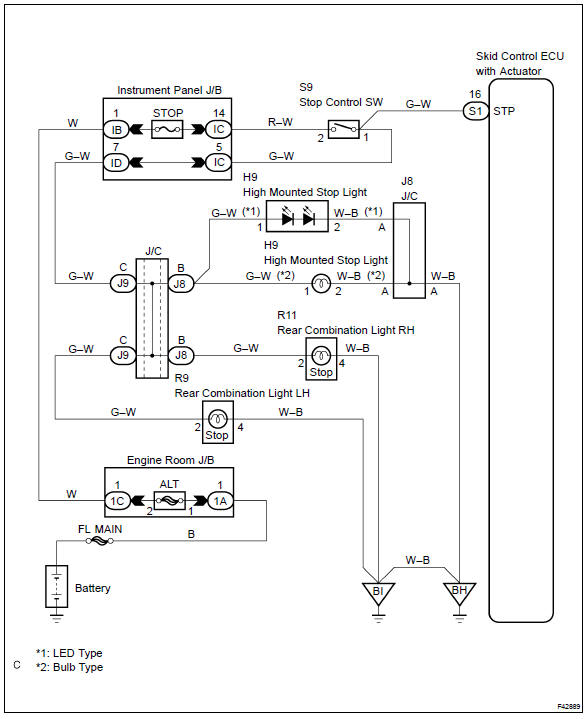
Wiring diagram


Other materials:
Front differential oil seal
Replacement
1. Drain manual transaxle oil
torque: 39.2 Nvm (400 Kgf·cm, 29 ft·lbf)
2. Remove front wheels
3. Remove engine under cover lh
4. Remove engine under cover rh
5. Drain transaxle oil
6. Remove front drive shaft assy lh
sst 09520–01010, 09520–24010 (09520–32040)
7. R ...
Listening to a USB memory device
Connecting a USB memory device enables you to enjoy music from the vehicle
speakers.
Touch “USB” on the audio source selection screen.
Connecting a USB memory device
Audio control screen
Pressing the “AUDIO” button displays the audio control screen from any screens
of the selected so ...
Problem symptoms table
Proceed to the reference page shown in the table below for each malfunction
symptom and troubleshoot
each circuit.
Hint:
troubleshooting of the tvip system is based on the premise that the door lock
control system and wireless
door lock control system is operating normally. Accordingly, be ...