
Toyota Corolla (E120): Wiring
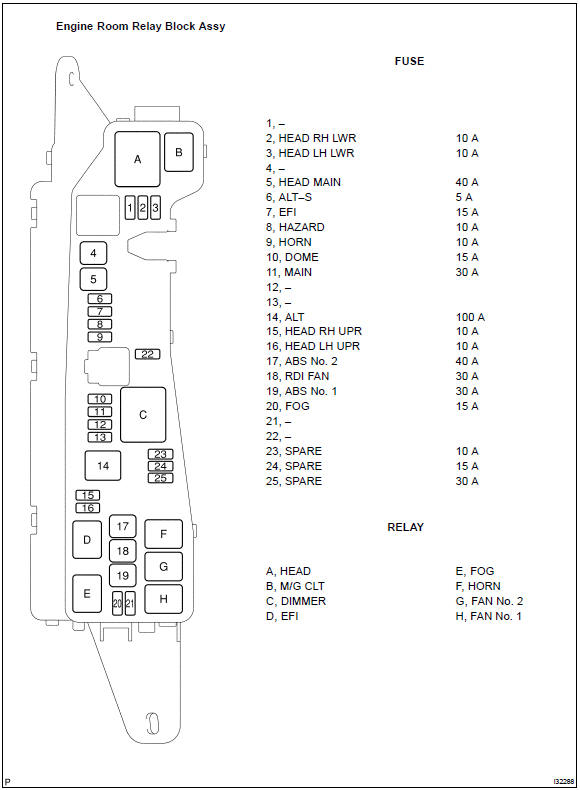
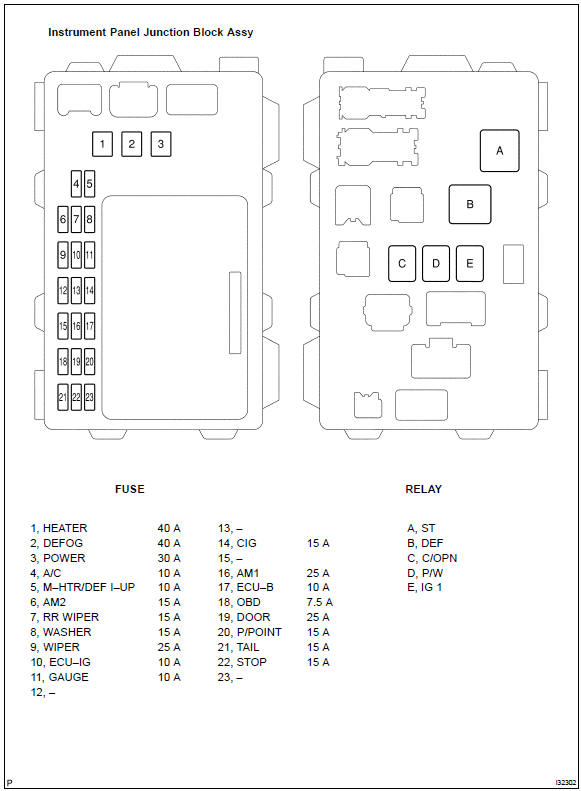
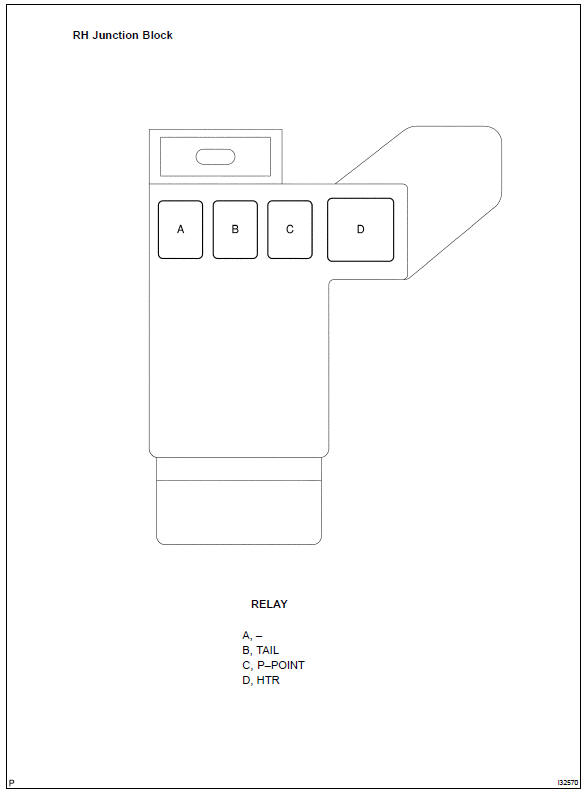
Power source
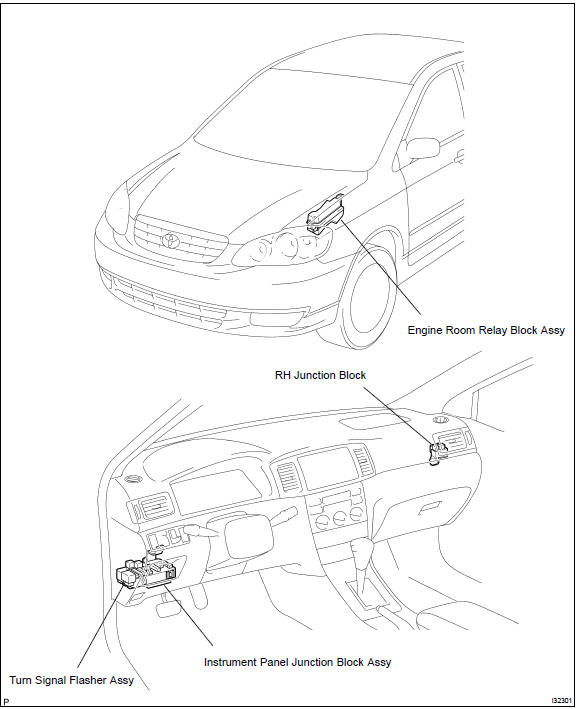
Location


Other materials:
Seat belt warning lamp for driver’s seat does not
operate
Wiring diagram
Inspection procedure
1 Check combination meter assy
Ground terminal c9–12 on the combination meter side.
check that the warning lightlights up.
Ok: warning light lights up.
2 Inspect front seat inner belt assy lh
Disconnect the front seat inner belt ...
Check short circuit
If the wire harness is ground shorted as shown in fig. 5,
Locate the section by conducting a resistance check with
the body ground in step (b).
Check the resistance with the body ground.
Disconnect connectors a and c and measure the
resistance between terminals 1 and 2 ...
Headlamp dimmer switch assy
Replacement
1. Remove steering column cover lwr
Remove 3 screws and steering column cover lwr.
2. Remove headlamp dimmer switch assy
Disconnect the connector.
release the claw and pull out the head light dimmer
switch assy.
...