
Toyota Corolla (E120) 2002–2008 Repair Manual / Diagnostics / Cruise control system / How to proceed with troubleshooting
Toyota Corolla (E120): How to proceed with troubleshooting
1 Vehicle brought to workshop

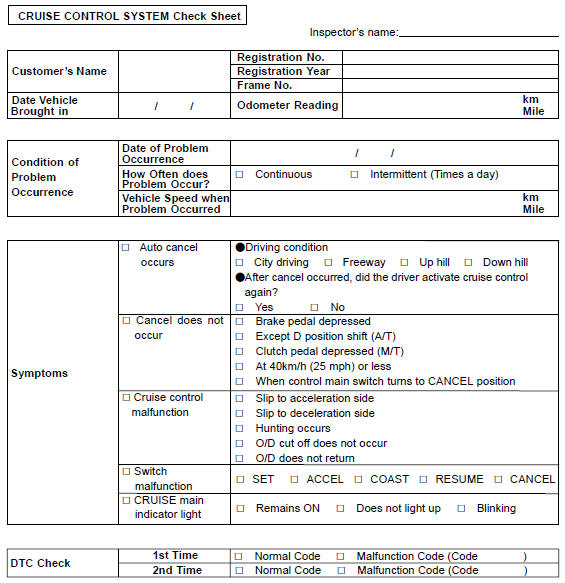
2 Customer problem analysis

3 Check and clear dtc

4 Problem symptom confirmation

5 Symptom simulation

6 Dtc check

7 Dtc chart

8 Problem symptoms table

9 Circuit inspection
10 Identification of problem
11 Parts inspection
12 Repair
13 Confirmation test
End
Customer problem analysis check


Other materials:
Handling of hose clamps
Before removing the hose, check the depth of the inserting
portion and the clamp position in order to restore it
surely.
change a deformed or dented clamp for a new one.
in case of reusing the hose, install the clamp on the hose
where it has a clamp track.
for a ...
Rear speaker assy
Replacement
Hint: components:
1. Remove rear door opening trim rh
2. Remove rear door opening trim lh
3. Remove bench type rear seat cushion assy( or 72–8)
4. Remove rear seat back assy (fixed type rear seat)
5. Remove rear seat back assy (separated type rear seat)
6. Remove rear seat side ...
Inspection procedure
1 Check front airbag sensor (rh) circuit (to b+)(airbag sensor assy
center – airbag front rh sensor)
Disconnect the negative (–) terminal cable from the battery,
and wait at least for 90 seconds.
disconnect the connectors between the airbag front rh
sensor and the airbag sen ...