
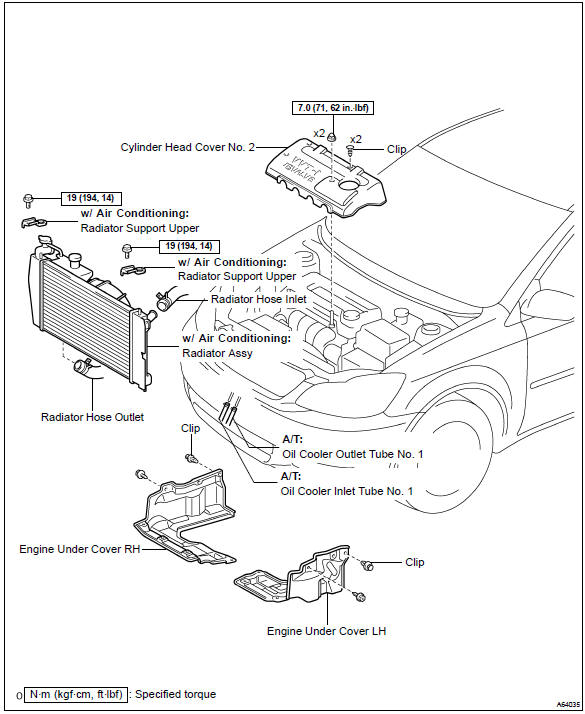
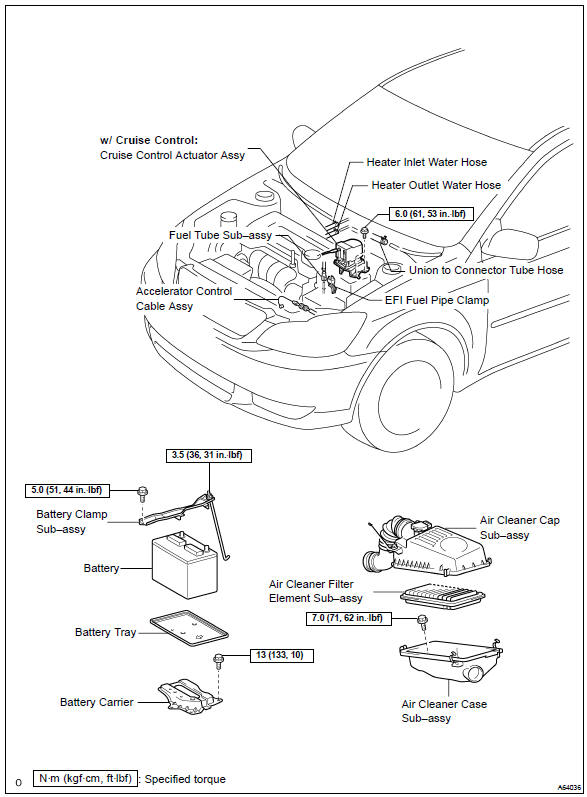
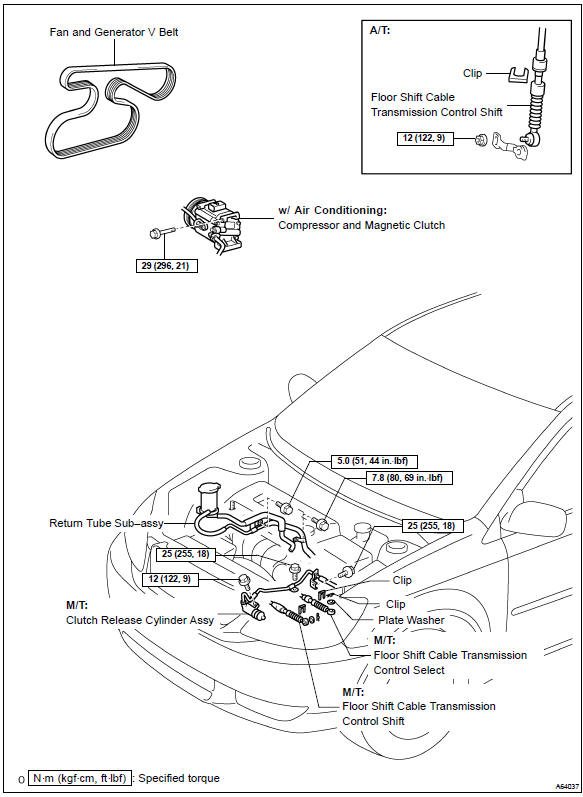
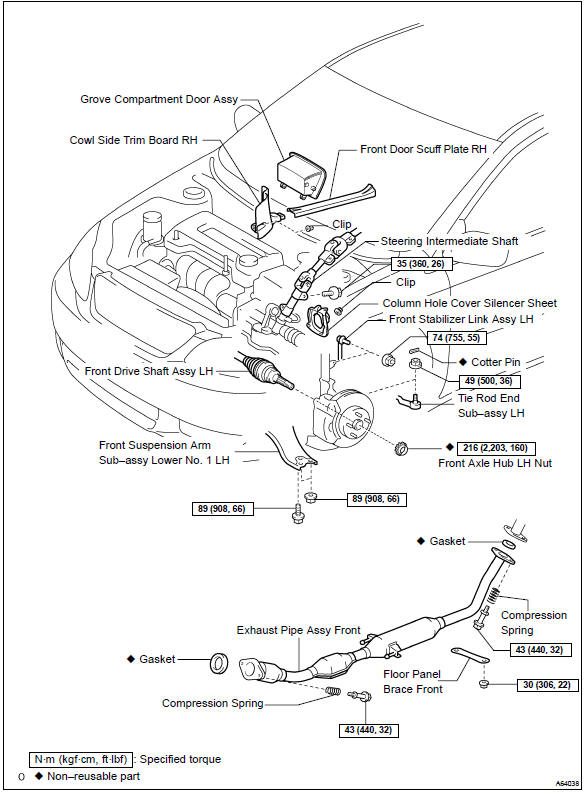
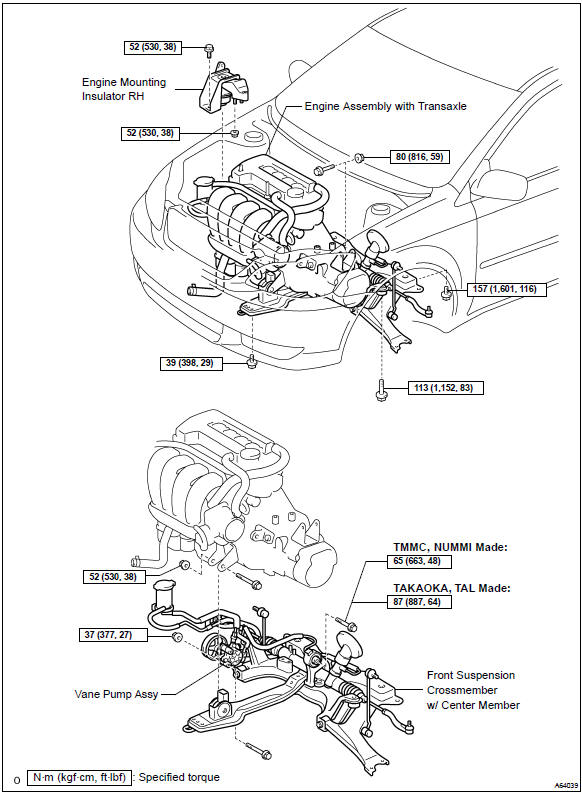
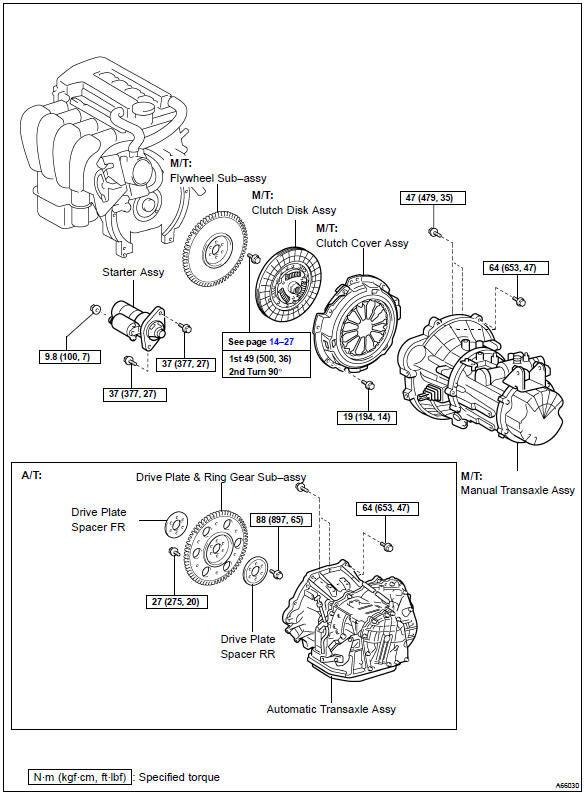
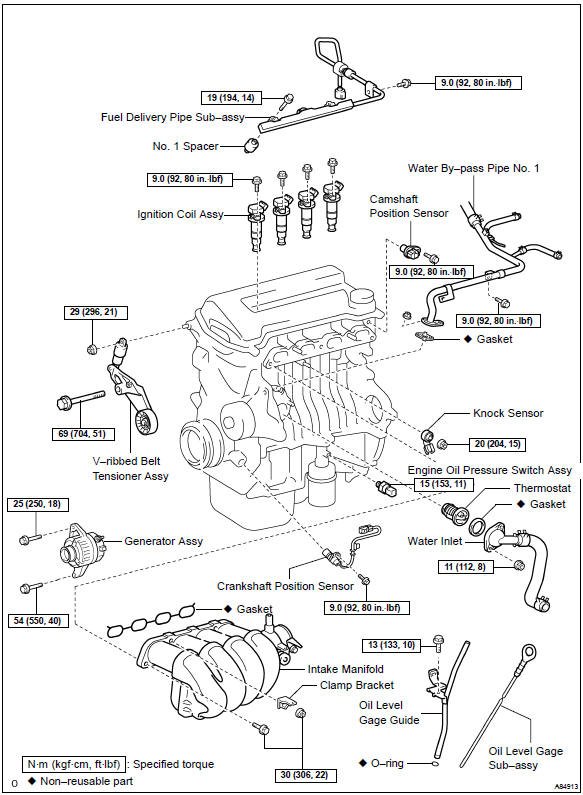
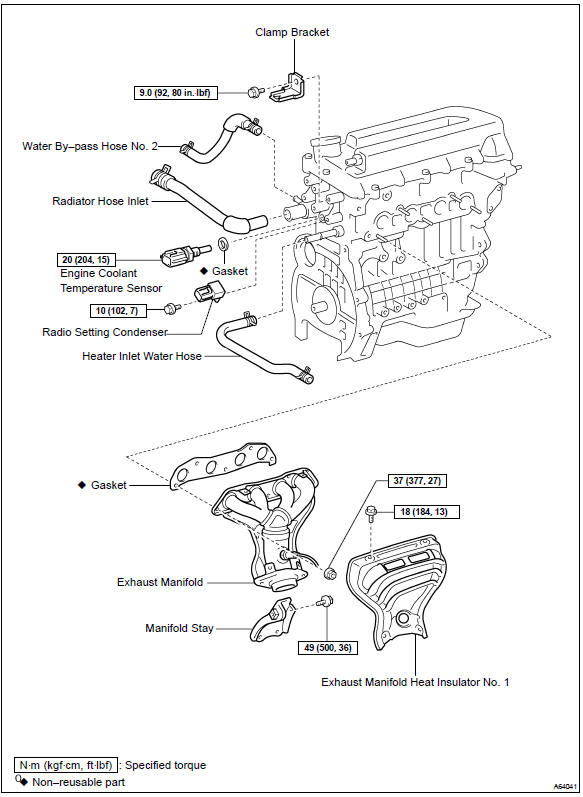
Toyota Corolla (E120): Components


Other materials:
Replacement
1. Remove engine under cover rh
2. Drain coolant
3. Remove fan and generator v belt
4. Remove generator assy
Disconnect the wire clamp from the wire clip on the rectifire
end frame.
remove the rubber cap and nut, and disconnect the alternator
wire.
disconnect the ...
Emission inspection and maintenance (I/M) programs
Some states have vehicle
emission inspection programs
which include OBD
(On Board Diagnostics)
checks. The OBD system
monitors the operation of
the emission control system.
If the malfunction indicator
lamp comes on
The OBD system determines
that a problem exists somewhere
in the emission control
sy ...
Shifting the shift lever to R
Shift the shift lever to R while lifting up the ring section.
■Maximum allowable speeds
Observe the following maximum allowable speeds in each gear when maximum acceleration
is necessary.
mph (km/h)
NOTICE
■To prevent damage to the transmission
●Do not lift up the ring ...