
Toyota Corolla (E120) 2002–2008 Repair Manual / Brake / Brake fluid
Toyota Corolla (E120): Brake fluid
Bleeding
Notice
: wash the brake fluid off immediately if it comes into contact with any painted surface. Hint
: if any work is done on the brake system or if air in the brake lines is suspected, bleed the air from the system.
1. Fill reservoir with brake fluid fluid: sae j1703 or fmvss no. 116 Dot3
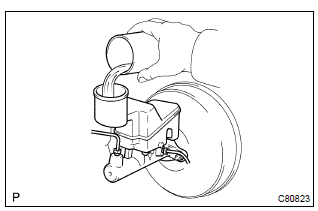
2. Bleed master cylinder
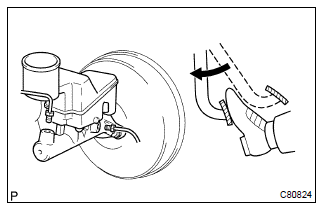
Hint
: if the master cylinder has been disassembled or if the reservoir becomes empty, bleed the air from the master cylinder.
- disconnect the brake lines from the master cylinder.
Sst 09023–00100
- slowly depress the brake pedal and hold it.
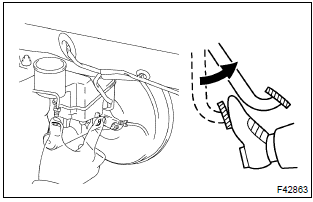
- Block off the outer holes with your fingers, and release the brake pedal.
- repeat (b) and (c) 3 or 4 times.
3. Bleed brake line
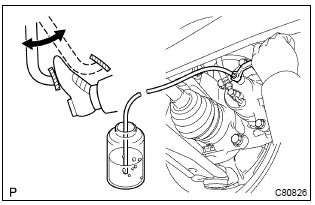
- Connect the vinyl tube to the brake caliper.
- depress the brake pedal several times, then loosen the bleeder plug with the pedal held down.
- at the point when fluid stops coming out, tighten the
bleeder plug, then release the brake pedal.
Torque: 8.3 Nvm (85 Kgf·cm, 74 in.Vlbf)
- repeat (b) and (c) until all the air in the fluid has been bled out.
- Repeat the above procedures to bleed the air out of the brake line for each wheel.
4. Check fluid level in reservoir
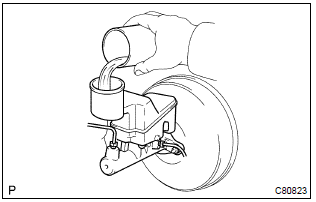
- Check the fluid level and add fluid if necessary.
Fluid: sae j1703 or fmvss no. 116 Dot3


Other materials:
USB charging port (if
equipped)
The USB charging port are used
to supply 3.0 A of electricity at 5
V to external devices.
The USB charging port are for
charging only. They are not
designed for data transfer or
other purposes.
Depending on the external
device, it may not charge properly.
Refer to the manual
included with the dev ...
Inspection procedure
1 Check security indicator light
Remove the security indicator.
check the indicator light, as shown in the illustration and
table.
Standard:
2 Check wire harness (tvip ecu security indicator)
Disconnect the tvip ecu and security indicator connectors.
...
Overhaul
Hint: components:
1. Discharge refrigerant from refrigeration system
sst 07110–58060 (07117–58080, 07117–58090, 07117–78050, 07117–88060,
07117–88070,
07117–88080)
2. Disconnect cooler refrigerant liquid pipe a
Remove the bolt and disconnect the cooler refrigerant liqui ...