
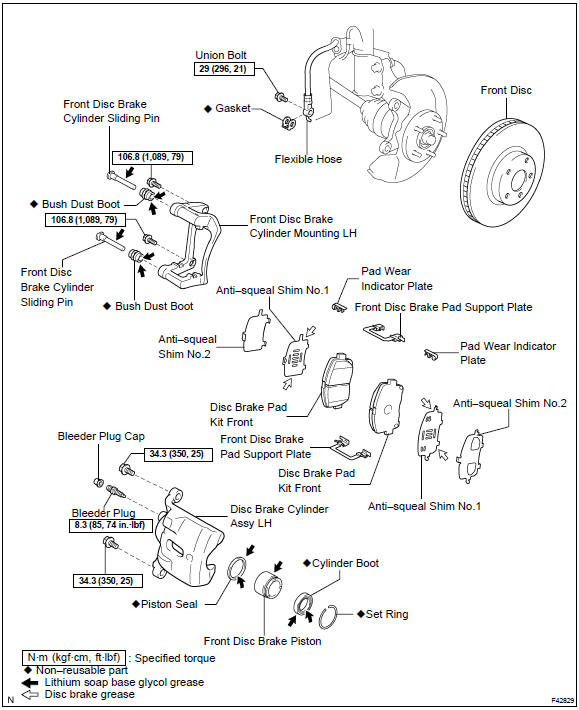
Toyota Corolla (E120): Components
Share this page:


Other materials:
Cassette tape cannot be ejected
Wiring diagram
Wiring diagram
1 Check if radio auto–search functions properly
Check if the radio auto–search function properly.
Perform the auto–research of the radio and check that the
operation is normal.
Standard: malfunction disappear.
2 Press ”eject” and ...
Engine mechanical
Preparation
Sst
Recomended tools
Ssm
Equipment
Exhaust
Preparation
Equipment
...
Inspection procedure
1 Check connector
Disconnect the negative (–) terminal cable from the battery, and wait at
least for 90 seconds.
check the connection of the combination meter connector and the
airbag sensor assy center connectors.
Ok:
the connectors are connected.
2 Check combination ...