
Toyota Corolla (E120) 2002–2008 Repair Manual / Exhaust / Components
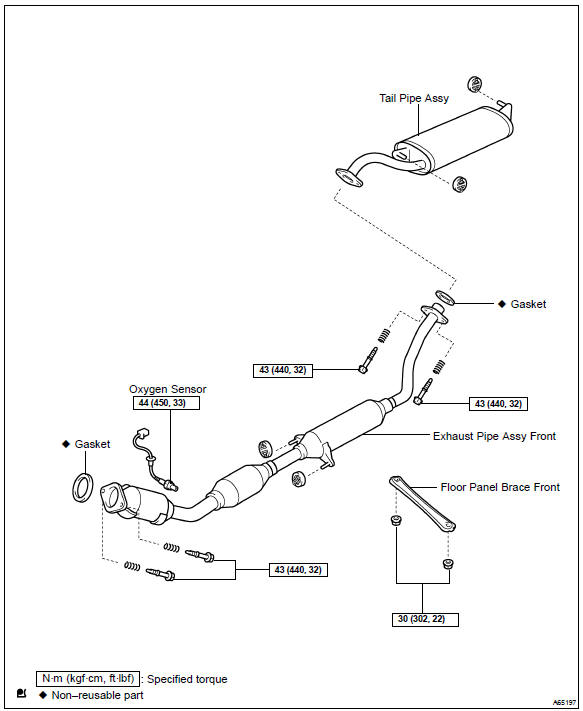
Toyota Corolla (E120): Components
Share this page:


Other materials:
Automatic door locking and unlocking systems
The following functions can be set or cancelled:
*1: Vehicles with an automatic transmission or continuously variable transmission
*2: Vehicles with a smart key system
■ Setting and canceling the functions
To switch between set and canceled, follow the procedure below:
1 Vehicles withou ...
Location
...
Receiving a call
When a call is received, the following screen is displayed together with a
sound.
To answer the phone
Press the switch on the steering
wheel or select .
To refuse a call
Press the switch on the steering
wheel or select .
To adjust the incoming call volume
Turn the “PWR/VOL” knob. ...