
Toyota Corolla (E170) 2014–2019 Owners Manual / Driving / Driving procedures / Engine (ignition) switch (vehicles with a smart key system) / Changing engine switch modes
Toyota Corolla (E170): Changing engine switch modes
Modes can be changed by pressing the engine switch with the brake pedal (continuously variable transmission) or clutch pedal (manual transmission) released. (The mode changes each time the switch is pressed.)
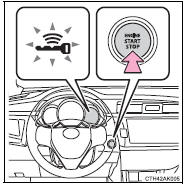
► Vehicles without a multi-information display Off*
The emergency flashers can be used.
The smart key system indicator light (green) is off.
ACCESSORY mode
Some electrical components such as the audio system can be used.
The smart key system indicator light (green) flashes slowly.
IGNITION ON mode
All electrical components can be used.
The smart key system indicator light (green) flashes slowly.
*: Vehicles with a continuously variable transmission: If the shift lever is in a position other than P when turning off the engine, the engine switch will be turned to ACCESSORY mode, not to off.
► Vehicles with a multi-information display Off*
The emergency flashers can be used.
The multi-information display will not be displayed.
ACCESSORY mode
Some electrical components such as the audio system can be used.
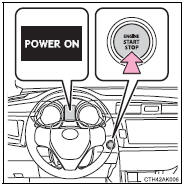
“POWER ON” will be displayed on the multi-information display.
IGNITION ON mode
All electrical components can be used.
“POWER ON” will be displayed on the multi-information display.
*: Vehicles with a continuously variable transmission: If the shift lever is in a position other than P when turning off the engine, the engine switch will be turned to ACCESSORY mode, not to off.


Other materials:
Power windows
Opening and closing the
power windows
The power windows can be
opened and closed using the
switches.
Operating the switch moves the
windows as follows:
Closing
One-touch closing*
Opening
One-touch opening*
*: To stop the window partway,
operate the switch in the opposite
direction.
■The po ...
Adjustment
1. Remove rear wheel
2. Adjust rear drum brake shoe clearance
3. Install rear wheel
torque: 103 nvm (1,050 Kgf·cm, 76 ft·lbf)
4. Inspect parking brake lever travel
pull the parking brake lever to the fully applied position, and
count the number of clicks.
Parking brake lever tr ...
Inspection procedure
1 Input signal check
See input signal check on page 05–745.
check the indicator light operation when each of the set/
coast, resume/accel and cancel is turned on.
Ok:
set/coast, resume/accel switch:
the signals shown in the table on the left should be
output when each switch is ...