
Toyota Corolla (E120) 2002–2008 Repair Manual / Preparation / Wiper & washer
Toyota Corolla (E120): Wiper & washer
Preparation
Sst

Recomended tools
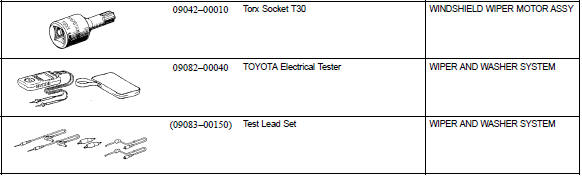
Equipment



Other materials:
Introductions
4. Anti-rust treatment after installation
(A) body sealer application
Purpose:
for water-proofing and anti-rust measures, always
apply the body sealer to the body panel seams and
hems of the doors, hood, etc.
Notice:
apply body sealer neatly to parts that require a
high quality appeara ...
Ecm (1zz–fe)
Replacement
1. Disconnect battery negative terminal
2. Remove glove compartment door assy
3. Remove ecm
Remove the 2 clips using a clip remover. Then, open the
cover.
Disconnect the 4 ecm connectors.
remove the wire harness from the wire harness clamp.
Remove the 2 ...
Replacement
1. Drain brake fluid
Notice:
wash the brake fluid off immediately if it comes into contact with any painted
surface.
2. Remove air cleaner cap sub–assy
3. Remove air cleaner case sub–assy
remove the air cleaner element, then remove the 3 bolts and air
cleaner case sub–assy.
...