
Toyota Corolla (E120) 2002–2008 Repair Manual / Preparation / Seat belt
Toyota Corolla (E120): Seat belt
Preparation
Sst
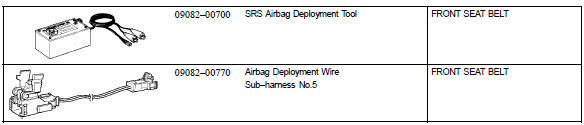
Equipment



Other materials:
Inspection procedure
1 Inspect fuse(ecu–ig fuse)
Remove ecu–ig fuse from the instrument panel j/b.
check continuity of ecu–ig fuse.
Ok:
continuity
2 Inspect battery
Ok:
voltage: 10 – 14 v
3 Inspect skid control ecu connector(ig1 terminal voltage)
In case of using hand–held te ...
Center stop lamp assy
Replacement
1. Remove package tray trim panel assy (w/o rear spoiler)
2. Remove center stop lamp assy (w/o rear
spoiler)
Remove the center stop light assy as shown in the illustlation.
3. Remove center stop lamp assy (w/ rear
spoiler)
Remove the 2 screws.
disconnect th ...
Speed control main switch assy
Replacement
1. Disconnect battery negative terminal
2. Inspect place front wheels facing straight ahead
3. Remove horn button assy
4. Remove steering wheel assy
sst 09950–50013 (09951–05010, 09952–05010, 09953–05020, 09954–05021)
5. Remove speed control main switch assy
Remov ...