
Toyota Corolla (E120) 2002–2008 Repair Manual / Rear suspension / Rear suspension
Toyota Corolla (E120): Rear suspension
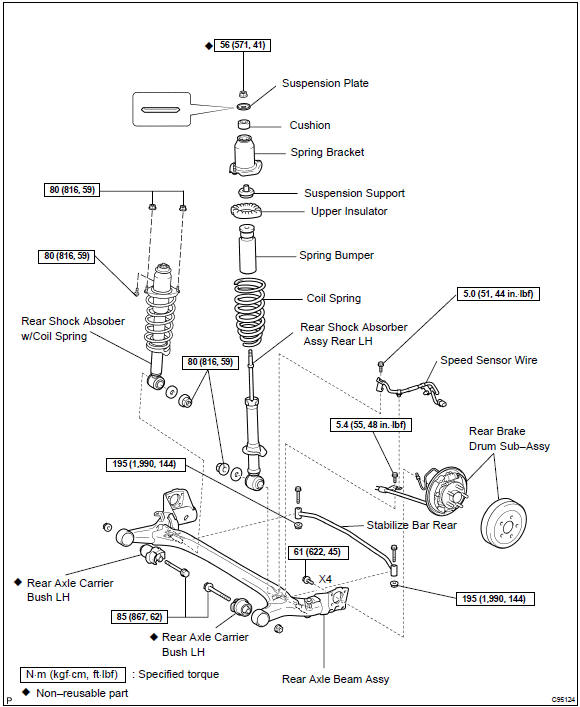
Components


Other materials:
Cleaning and protecting the vehicle exterior
Perform cleaning in a manner
appropriate to each
component and its material.
Cleaning instructions
Working from top to bottom,
liberally apply water to the
vehicle body, wheel wells and
underside of the vehicle to
remove any dirt and dust.
Wash the vehicle body using
a sponge or soft cloth, ...
Windshield wipers and washer
Operating the wiper lever
The wiper operation is selected by moving the lever as follows. When intermittent
windshield wiper operation is selected, the wiper interval can be also adjusted.
1 Intermittent windshield wiper operation
2 Low speed windshield wiper operation
3 High speed windshield ...
Positioning a floor jack
When using a floor jack, follow the instructions in the manual provided with
the jack and perform the operation safely.
When raising your vehicle with a floor jack, position the jack correctly.
Improper placement may damage your vehicle or cause injury.
◆ Front
◆ Rear
1 Take out ...