
Toyota Corolla (E120) 2002–2008 Repair Manual / Introduction / How to troubleshoot ecu controlled
systems / Problem symptoms table
Toyota Corolla (E120): Problem symptoms table
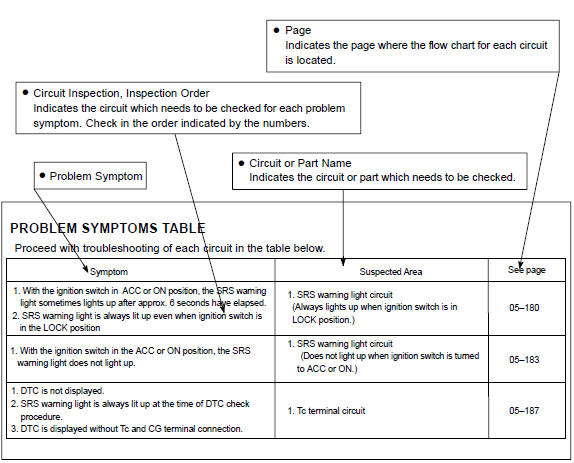
The suspected circuits or parts for each problem symptom are shown in the table below. Use this table to troubleshoot the problem when a normal code is displayed in the diagnostic trouble code chart but the problem is still occurring. Numbers in the table indicate the order in which the circuits or parts should be checked.
Hint: when the problem is not detected by the diagnostic system even though the problem symptom is present, it may be that the problem is occurring outside the detection range of the diagnostic system.


Other materials:
Coolant
Replacement
1. Drain coolant
Caution:
to avoid the danger of being burned, do not remove the radiator
cap while the engine and radiator are still hot, as fluid
and steam can be blown out under pressure.
remove the radiator cap.
loosen the radiator and engine drain plugs, a ...
How to proceed with troubleshooting
The hand–held tester can be used at step 3, 4, 5, 7, 10.
1 Vehicle brought to workshop
2 Customer problem analysis
3 Connect hand–held tester to dlc3
Hint:
if the display indicates a communication fault in the tool, inspect dlc3.
4 Check dtc and freeze frame data
Hint:
record or pr ...
Registering a new contact to the contact list
New contact data can be registered. Up to 4 numbers per person can be registered.
For PBAP compatible Bluetooth® phones, this function is available when “Automatic
Contact/History Transfer” is set to off.
1 Select “New Contact”.
2 Enter the name and select “OK”.
3 Enter the phone ...