
Toyota Corolla (E120): Initialization
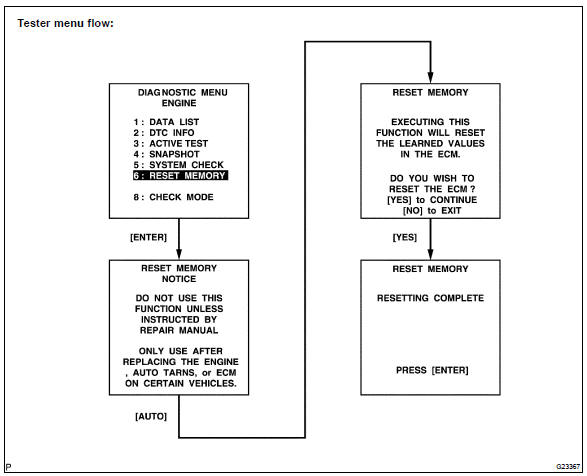
1. Reset memory
Caution
: perform the reset memory (at initialization) when replacing the automatic transaxle assy, engine assy or ecm.
Notice
: hand–held tester only
- Turn the ignition switch off.
- connect the hand–held tester to the dlc3.
- turn the ignition switch to the on position.
- perform the reset memory procedure from the engine menu.
Caution
: after performing the reset memory, be sure to perform the road test described earlier.


Other materials:
Cooling
Preparation
Recomended tools
Equipment
Coolant
...
Moon roof
Use the overhead switches
to open and close the moon
roof and tilt it up and down.
Operating the moon roof
■ Opening and closing
Opens the moon roof*
The moon roof stops slightly before
the fully open position to reduce
wind noise. Press the switch again
to fully open the moon roof.
Closes ...
Basic inspection
When the malfunction is not confirmed in the dtc check, troubleshooting
should be carried out in all the
possible circuits considered as causes of the problem. In many cases, by
carrying out the basic engine check
shown in the following flowchart, the location causing the problem can be found ...