
Toyota Corolla (E170) 2014–2019 Owners Manual / When trouble arises / Steps to take in an emergency / If a warning message or indicator is displayed (vehicles with a multi-information
display) / Have the malfunction repaired immediately. (vehicles with a smart key system)
Toyota Corolla (E170): Have the malfunction repaired immediately. (vehicles with a smart key system)
After taking the specified steps to correct the suspected problem, check that the warning message and light go off.
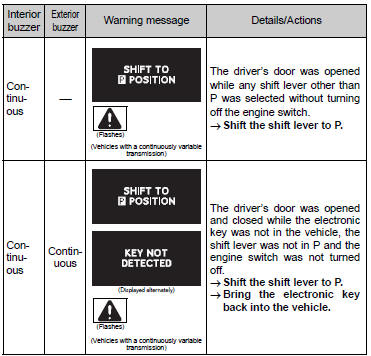
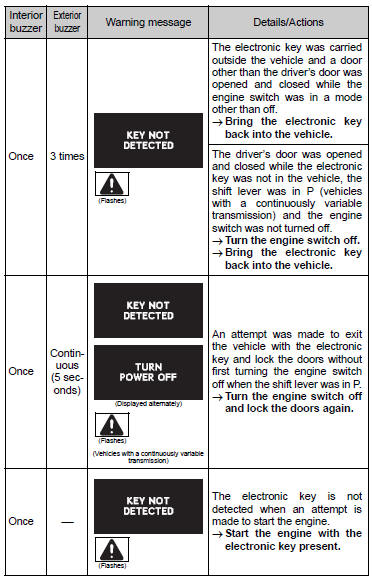
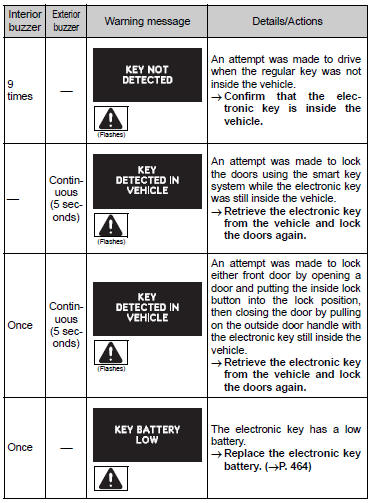
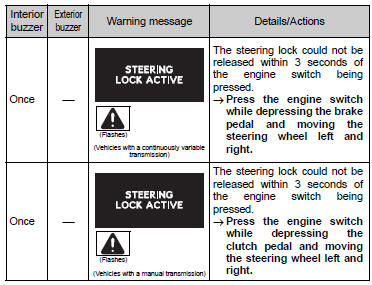
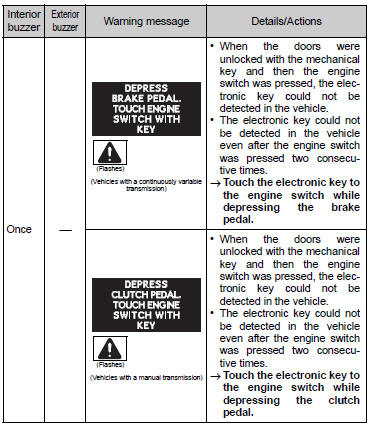
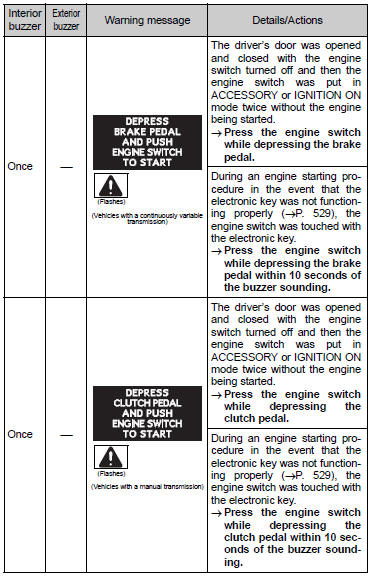
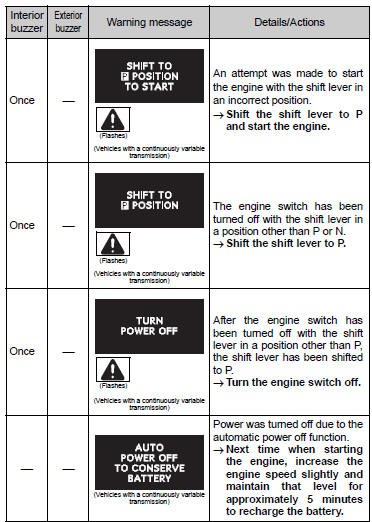
■Warning buzzer
Share this page:


Other materials:
Brake
Preparation
Sst
Recomended tools
Equipment
Lubricant
...
Cooling
Preparation
Recomended tools
Equipment
Coolant
...
Fuel pump shut off system
To minimize the risk of fuel leakage when the engine stalls or when an airbag
inflates upon collision, the fuel pump shut off system stops the supply of fuel
to the engine.
Follow the procedure below to restart the engine after the system is activated.
► Vehicles without a smart key syst ...