
Toyota Corolla (E120) 2002–2008 Repair Manual / Service specifications / Engine mechanical
Toyota Corolla (E120): Engine mechanical
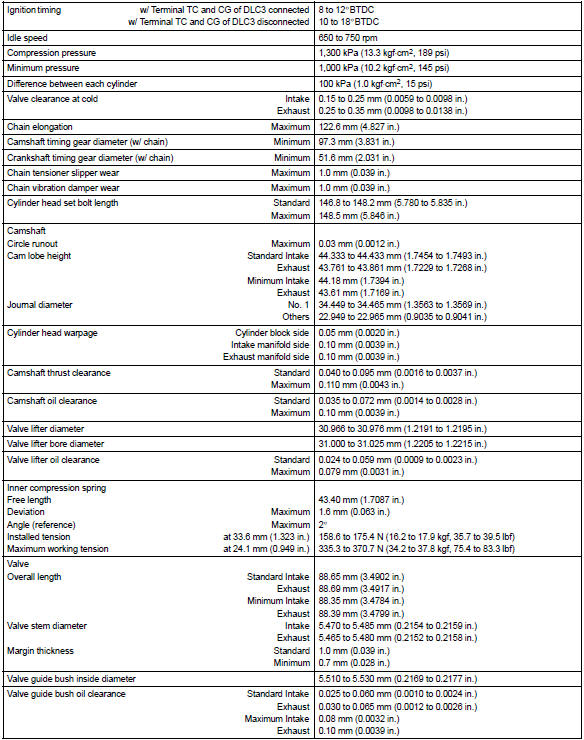
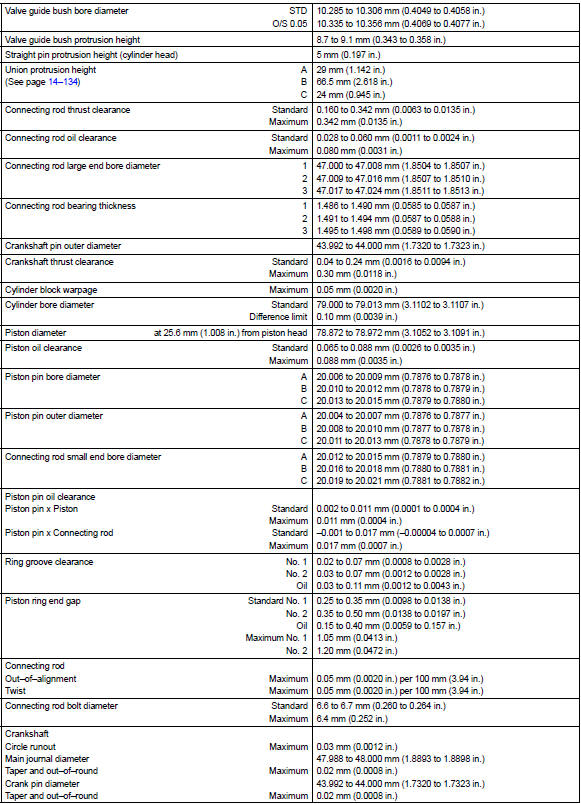
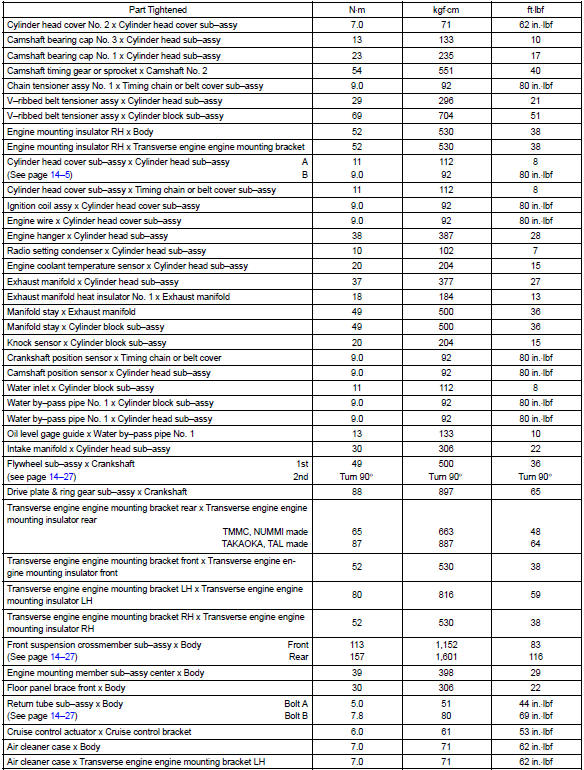
Service data
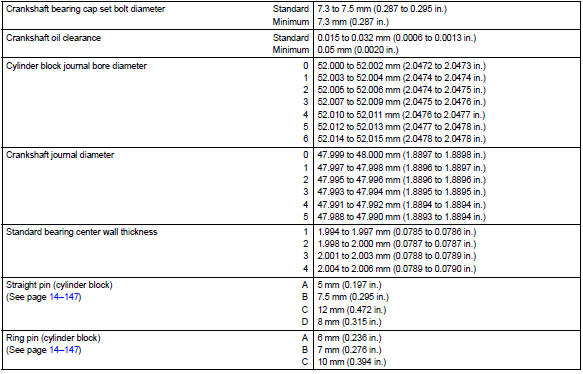
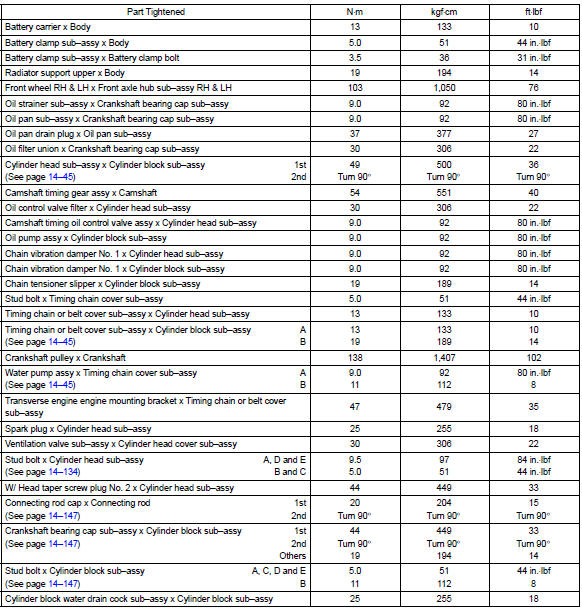
Torque specification


Other materials:
Inspection procedure
Hint
Advanced timing over
(valve timing is out of specified range)
P0011
Retarded timing over
(valve timing is out of specified range)
P0012
If dtc p0011 or p0012 is displayed, check the vvt system circuit.
Read freeze frame data using the hand–held tester o ...
Malfunction in water temperature receiver gauge
Wiring diagram
Inspection procedure
1 Read value of hand–held tester
Check output value of ecm.
Connect the hand–held tester to dlc3.
Turn the ignition switch to on and push the hand–held tester main
switch on.
Select the data list mode on the hand–he ...
Toyota Safety Sense 3.0
The Toyota Safety Sense 3.0
consists of the driving
assist systems and contributes
to a safe and comfortable
driving experience:
WARNING
■Toyota Safety Sense 3.0
The Toyota Safety Sense 3.0
operates under the assumption
that the driver will drive safely,
and is designed to help reduce
the impact t ...