
Toyota Corolla (E120) 2002–2008 Repair Manual / Diagnostics / Electronic controlled automatic transaxle / Customer problem analysis check
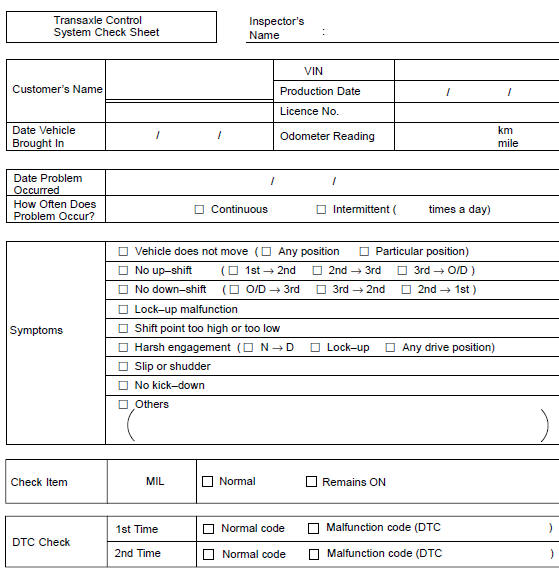
Toyota Corolla (E120): Customer problem analysis check
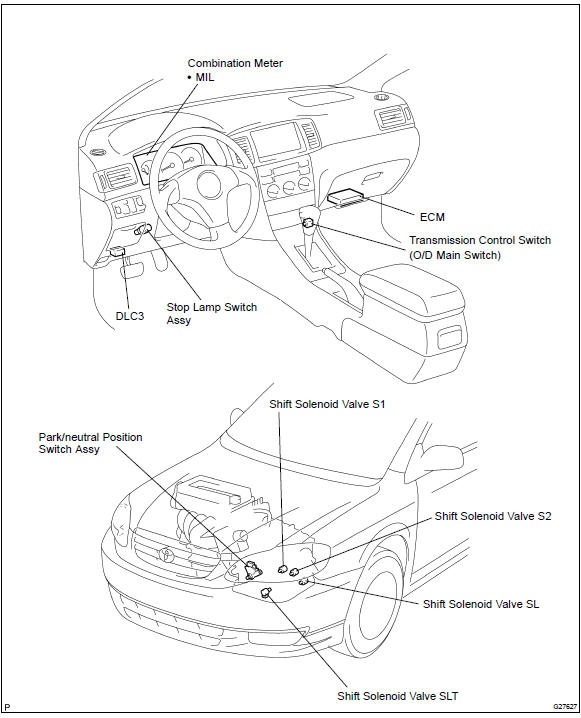
Location


Other materials:
Odometer and trip meter
display
■ Changing the display
Press the display change button
until the desired item is displayed.
■ Display items
Odometer
Displays the total distance the vehicle
has been driven.
Trip meter A/Trip meter B
Displays the distance the vehicle
has been driven since the meter
was last reset. Trip me ...
Diagnostic trouble code chart
If a dtc is displayed during the dtc check, check the circuit listed in the
table below and proceed to the
page given.
* :● ... Mil light up
...
Inspection
1. Inspect sliding roof limit switch
Inspect the sliding roof limit switch continuity.
Standard:
If the continuity is not as specified, replace the switch.
2. Inspect sliding roof drive gear sub–assy
Connect the positive (+) lead from the battery to terminal
2 and the ne ...