
Toyota Corolla (E120) 2002–2008 Repair Manual / Introduction / How to troubleshoot ecu controlled
systems / Customer problem analysis
Toyota Corolla (E120): Customer problem analysis
Hint
:
- in troubleshooting, the problem symptoms must be confirmed accurately, meaning that all preconceptions must be set aside in order to make an accurate judgement. To ascertain what the problem symptoms are, it is extremely important to ask the customer about the problem and conditions when it occurred.
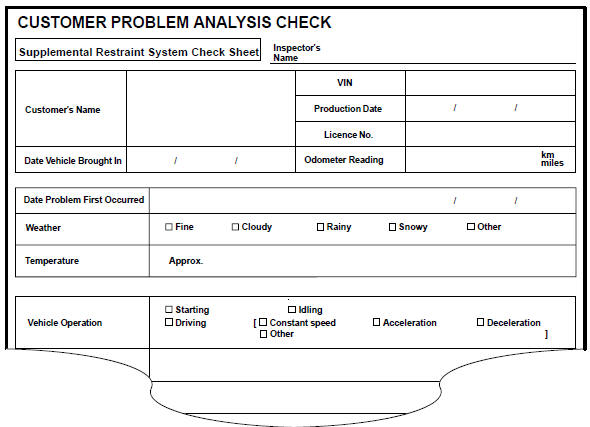
- The following 5 items are important points in the problem analysis. Past problems which are thought to be unrelated and the repair history, etc. May also help in some cases. Therefore, as much information as possible should be gathered and its relationship with the problem symptoms should be correctly ascertained for use as reference in troubleshooting. A customer problem analysis table is provided for your use in the diagnostics section for each system.

(Sample) supplemental restraint system check sheet.


Other materials:
Fuel consumption information
Fuel consumption information
can be displayed on the
audio system screen.
System components
Audio system screen
Consumption
■ Trip information
1. Select on the main menu.
2. Select "Trip information".
If a screen other than "Current" is
displayed, select "Current".
The image is an example ...
Inspection procedure
Hint:
hand–held tester only:
narrowing down the trouble area is possible by performing ”a/f control” active
test (heated oxygen
sensor or other trouble areas can be distinguished).
perform active test using hand–held tester (a/f control).
Hint:
”a/f control” is the act ...
Fail–safe chart
If any of the following codes is recorded, the ecm enters the fail–safe mode.
Check for intermittent problems
Hand–held tester only:
by putting the vehicle’s ecm in the check mode, the 1 trip detection logic is
possible instead of the
2 trip detection logic, and the sensitivity to de ...