
Toyota Corolla (E120) 2002–2008 Repair Manual / Preparation / Cruise control
Toyota Corolla (E120): Cruise control
Preparation
Sst
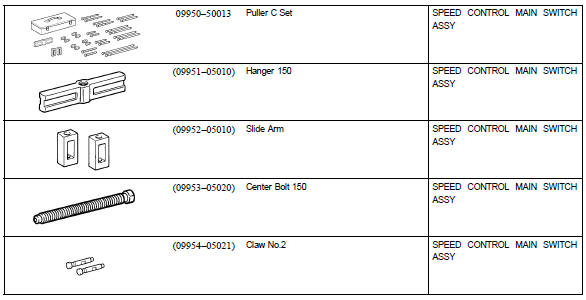
Recomended tools
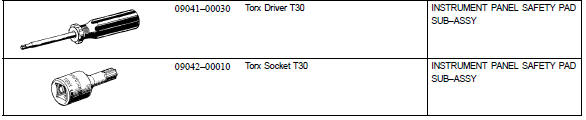
Equipment



Other materials:
Emergency flashers
The emergency flashers are used to warn other drivers when the vehicle has
to be stopped in the road due to a breakdown, etc.
Press the switch.
All the turn signal lights will flash.
To turn them off, press the switch once again.
■Emergency flashers
If the emergency flashers are used ...
The ambient temperature does not display
Wiring diagram
Inspection procedure
1 Inspect outer ambient temperature sensor
Remove cooler (ambient temp. Sensor) thermistor.
measure resistance between terminals 1 and 2 of cooler
(ambient temp. Sensor) thermistor connector at each temperature.
Resistance:
at 0 c (0 f) ...
Inspection procedure
1 Check p/t squib(rh) circuit(airbaga sensor assy center – front
seat outer belt assy rh)
Disconnect the negative (–) terminal cable from the battery,
and wait at least for 90 seconds.
disconnect the connectors between the airbag sensor
assy center and the seat belt pretensi ...