
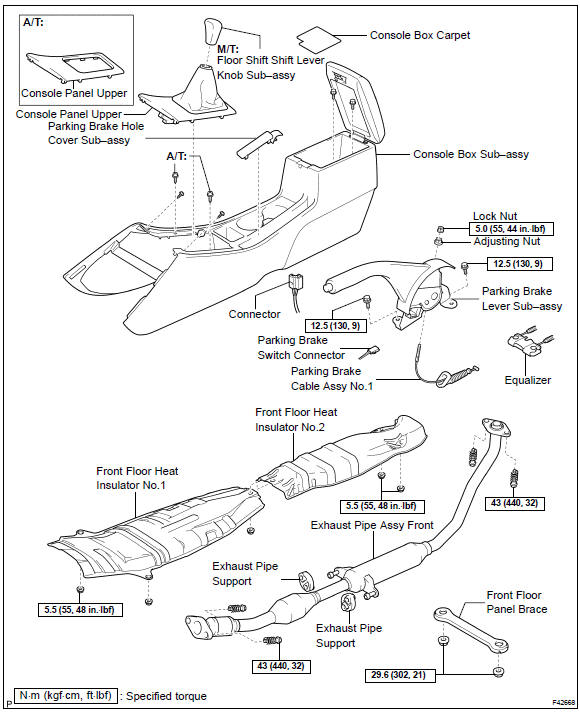
Toyota Corolla (E120): Components


Other materials:
Shift lock system (atm)
On–vehicle inspection
1. Check shift lock operation
shift the shift lever to p position.
turn the ignition switch to lock.
check that the shift lever cannot be shifted to any other
positions other than p.
turn the ignition switch to on, depress the brake pedal ...
Circuit description
The ignition switch provides circuit power and the ecm provides the circuit
ground that illuminates the mil.
Mil operation is checked visually:
it should be illuminated when the ignition is first turned on. If the mil is off
all of the time or on all of the time,
use the procedure below to ...
Overhaul
Hint:
installation is in the reveres order of the removal. But the
installation is indicated only when it has a
point.
In the rh side, work in the same procedure as in the lh side.
1. Remove rear armrest assy lh
Using a screwdriver, remove the rear armrest.
Hint:
tape the s ...