
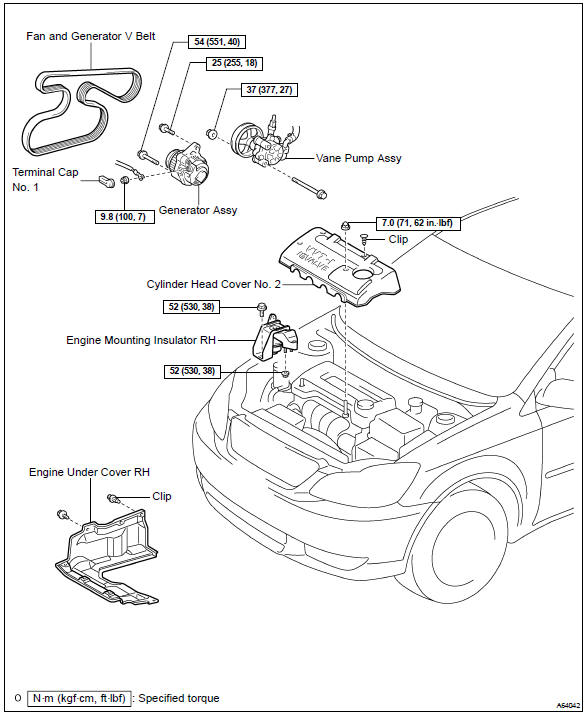
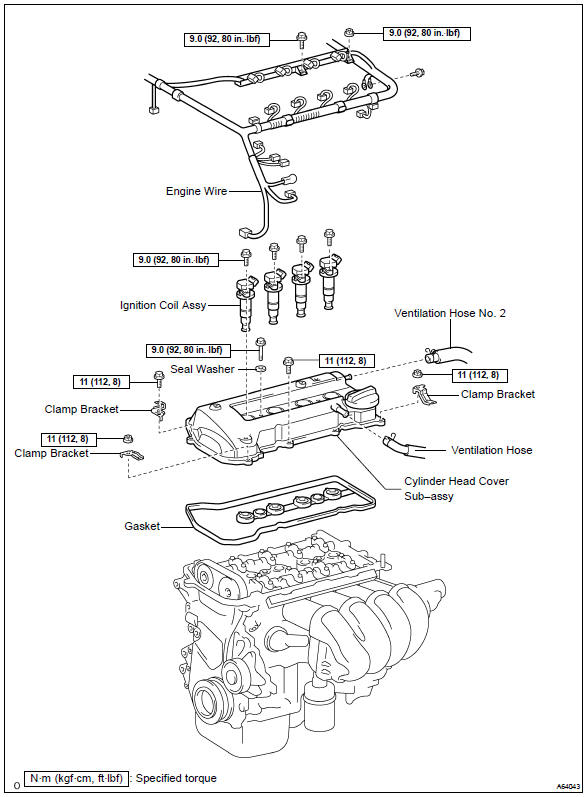
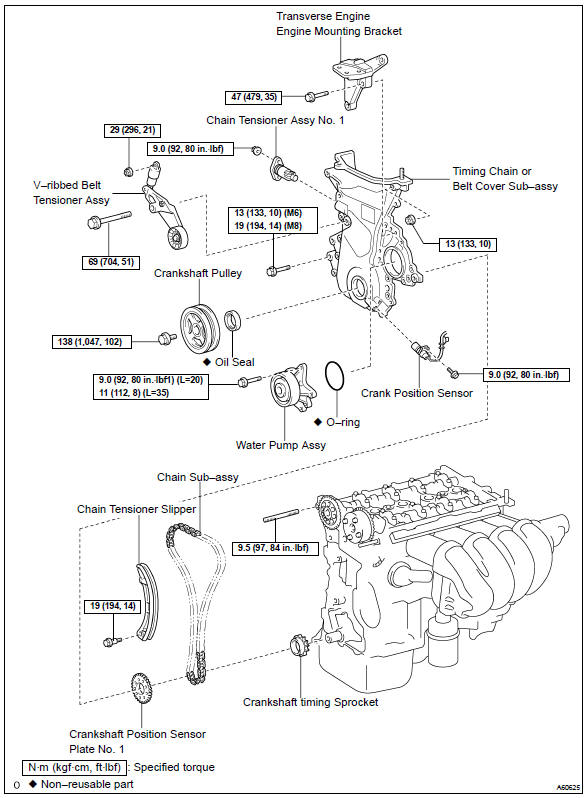
Toyota Corolla (E120): Components


Other materials:
Playing audio CDs and MP3/WMA discs
CD player operation
Insert a disc or press to begin
listening to a disc.
1 Power
2 Volume
3 Eject a disc
4 Repeat play
5 Random playback 6 Select a track/file or display
track/folder list
7 Displays text message
8 Playback
9 Select a folder (MP3/WMA discs only), fast-forward or revers ...
Basic inspection
Resistance measuring condition of electronic parts
unless stated, all resistance is measured at an ambient
temperature of 20 c (68 °F). As the resistance
may be outside the specifications if measured at high temperatures
immediately after
the vehicle has been running, measu ...
Wireless charger (if
equipped)
A portable device, such as a
smartphone or mobile battery,
can be charged by just placing it
on the charging area, provided
the device is compatible with the
Qi wireless charging standard
created by the Wireless Power
Consortium.
The wireless charger cannot be
used with a portable device that is la ...