
Toyota Corolla (E120) 2002–2008 Repair Manual / Preparation / Audio & visual system
Toyota Corolla (E120): Audio & visual system
Preparation
Sst
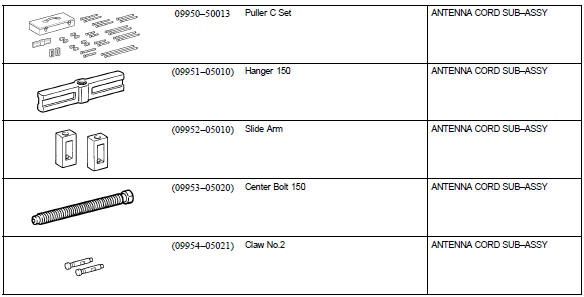
Recomended tools
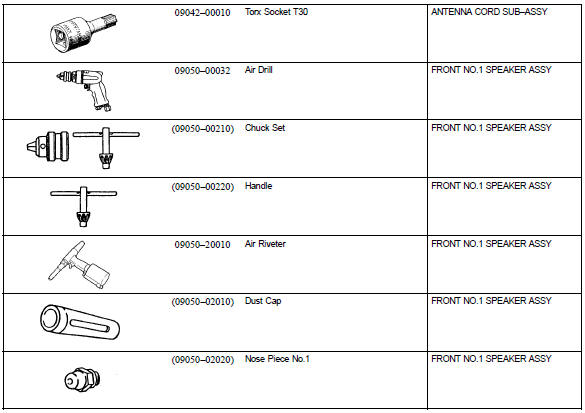
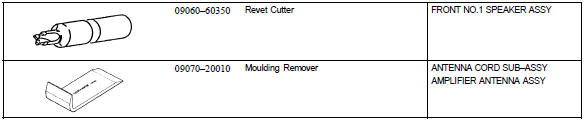
Equipment



Other materials:
Cleaning and protecting the vehicle exterior
Perform cleaning in a manner
appropriate to each
component and its material.
Cleaning instructions
Working from top to bottom,
liberally apply water to the
vehicle body, wheel wells and
underside of the vehicle to
remove any dirt and dust.
Wash the vehicle body using
a sponge or soft cloth, ...
Inspection procedure
Hint
Advanced timing over
(valve timing is out of specified range)
P0011
Retarded timing over
(valve timing is out of specified range)
P0012
If dtc p0011 or p0012 is displayed, check the vvt system circuit.
Read freeze frame data using the hand–held tester o ...
Air bag sensor front lh
Components
Replacement
Hint: components:
1. Precaution
2. Disconnect battery negative terminal
3. Remove air bag sensor front lh
Disconnect the connector from the airbag sensor front
lh.
remove the 2 bolts and airbag sensor front lh.
4. Inspect air bag sensor front lh
...